Blog

  • Essential Google Find Backlinks Tools

    Essential Google Find Backlinks Tools

    Finding backlinks to any website used to require expensive SEO tools or hours of manual detective work. Google actually provides several free methods to discover who's linking to your site or competitors' sites. Combined with a few specialized tools, you can build a complete picture of any website's backlink profile without breaking the budget.

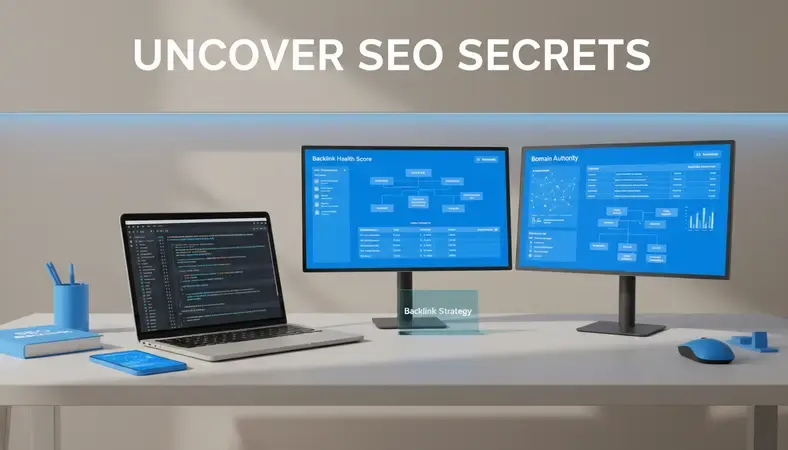
    Professional workspace showing Google Search Console interface and backlink analysis tools on computer screen

    If you're trying to understand your site's link profile, research competitors, or find link building opportunities, this guide covers the essential resources that actually work. We'll start with Google's own tools, then explore third-party options that provide deeper insights.

    What Are Backlinks and Why Do They Matter?

    Backlinks are incoming links from one website to another. When Website A links to Website B, that's a backlink for Website B. Google treats these links as votes of confidence — the more quality sites that link to your content, the more authoritative your site appears in search results.

    Think of backlinks as digital referrals. Just like a recommendation from a trusted friend carries more weight than a stranger's opinion, links from established, relevant websites boost your search rankings more than links from random blogs.

    Why Google Find Backlinks Matters for SEO

    Google's algorithm uses backlinks as one of its primary ranking factors. Sites with strong backlink profiles consistently outrank those without quality links. According to industry studies, pages with more referring domains tend to rank higher in search results.

    The key insight: not all backlinks are equal. A single link from a major publication can be worth more than dozens of links from low-quality directories. This is why understanding how to find and analyze backlinks becomes crucial for any SEO strategy.

    How to Use Google to Find Backlinks

    Google provides several free methods to discover backlinks. These built-in tools give you a solid foundation before investing in premium software.

    Google Search Console

    Google Search Console is your first stop for finding your own backlinks. Navigate to the "Links" section in the left sidebar to see:

    • External links: Shows which sites link to your content most frequently
    • Top linking sites: Displays domains that link to you most often
    • Top linked pages: Reveals which of your pages attract the most backlinks

    The tool shows sample links rather than comprehensive data, but it's completely free and comes directly from Google's index. For small to medium websites, this data often provides sufficient insight into your backlink profile.

    Google Search Operators

    Search operators let you find backlinks using Google's search interface directly. These commands work for any website, not just your own:

    1. Site: operator: Search site:blog.linkloop.io -site:targetsite.com "targetsite.com" to find pages that mention a target site
    2. Link: operator: Though largely deprecated, link:blog.linkloop.io sometimes reveals a few backlinks
    3. Inurl: searches: Use inurl:targetsite.com -site:targetsite.com to find pages that link to specific URLs

    These operators require patience and creativity, but they're completely free and can uncover links that don't appear in other tools.

    Google Alerts for Ongoing Monitoring

    Set up Google Alerts to monitor when new backlinks appear. Create alerts for:

    • Your brand name in quotes: "YourBrandName"
    • Your website URL: "yoursite.com"
    • Your key executives' names: "CEO Name" + "Company Name"

    Google Alerts won't catch every new backlink, but it identifies many new mentions that often include links.

    Tools to Find Backlinks for Any Website

    While Google's free tools provide a foundation, specialized backlink tools offer deeper analysis and more comprehensive data.

    Free Backlink Checkers

    Ahrefs Backlink Checker (Free Version)
    The free tier shows the top 100 backlinks for any domain, plus key metrics like domain rating and referring domains. While limited compared to the paid version, it provides valuable insights for competitive research.

    SEMrush Backlink Analytics (Limited Free)
    Offers basic backlink data including the number of referring domains, top anchor texts, and authority scores. The free version limits you to 10 results per report but covers most websites adequately.

    Moz Link Explorer (Free Tier)
    Provides domain authority scores and basic link metrics. Shows a sample of backlinks with spam score ratings to help identify link quality.

    Comprehensive Backlink Analysis Tools

    Split screen showing Ahrefs and SEMrush backlink analysis dashboards with various metrics and graphs

    Ahrefs site explorer
    The gold standard for backlink analysis. Provides comprehensive data including:

    • Complete backlink profiles: Every link Ahrefs has discovered
    • Historical data: Track link growth over time
    • Content gap analysis: Find pages that rank for keywords but lack backlinks
    • Broken link opportunities: Identify dead links pointing to competitor content

    Best for: Serious SEO professionals who need comprehensive competitive analysis and link prospecting.

    SEMrush Backlink Analytics
    Strong alternative to Ahrefs with excellent competitive intelligence features:

    • Backlink gap analysis: Compare your link profile to competitors
    • Toxic link identification: Automated detection of potentially harmful links
    • Link building tool: Manages outreach campaigns and tracks progress

    Best for: Agencies managing multiple clients who need integrated SEO and PPC data.

    Majestic SEO
    Specializes in link intelligence with unique metrics:

    • Trust Flow and Citation Flow: Proprietary quality metrics
    • Topical Trust Flow: Shows link quality by topic category
    • Bulk backlink analysis: Process large datasets efficiently

    Best for: Link builders who need detailed link quality analysis and bulk processing capabilities.

    Comparison of Premium Backlink Tools

    Tool Database Size Unique Features Best For
    Ahrefs 16+ trillion links Content gap analysis, keyword difficulty Comprehensive SEO analysis
    SEMrush 43+ trillion backlinks PPC integration, market research All-in-one marketing platform
    Majestic 6+ trillion URLs Trust Flow metrics, bulk analysis Link quality assessment

    Each tool has strengths depending on your specific needs. Ahrefs excels at content research, SEMrush provides broader marketing insights, and Majestic offers the deepest link quality analysis.

    How to Analyze Competitor Backlinks

    Understanding competitor backlinks reveals link building opportunities and content gaps you can exploit.

    Identifying Your True SEO Competitors

    Start by searching for your target keywords and noting which sites consistently appear in the top 10 results. These are your SEO competitors — they may differ from your business competitors.

    Use tools like Ahrefs' "Competing Domains" feature or SEMrush's "Organic Competitors" report to discover sites that rank for similar keywords.

    Analyzing Competitor Link Strategies

    Once you've identified competitors, analyze their backlink profiles for patterns:

    1. Content types that attract links: Do they get links for guides, tools, or news content?
    2. Link sources: Which types of sites link to them most often?
    3. Anchor text distribution: How do they balance branded vs. keyword-rich anchors?
    4. Link velocity: How quickly do they acquire new backlinks?

    Look for content gaps where competitors have strong backlinks but you don't. These represent immediate opportunities for your own link building efforts.

    Finding Link Building Opportunities

    Resource page opportunities
    Search for resource pages in your industry using queries like:
    * "your industry" + "resources"
    * "your industry" + "useful links"
    * inurl:resources + "your keyword"

    Broken link building
    Use tools to find broken links on relevant websites, then suggest your content as a replacement. Ahrefs' "Broken Link Checker" and "Best by Links" reports make this process efficient.

    Guest post opportunities
    Analyze where competitors publish guest posts by filtering their backlinks for author bio links or bylines. This reveals publications that accept guest content in your niche.

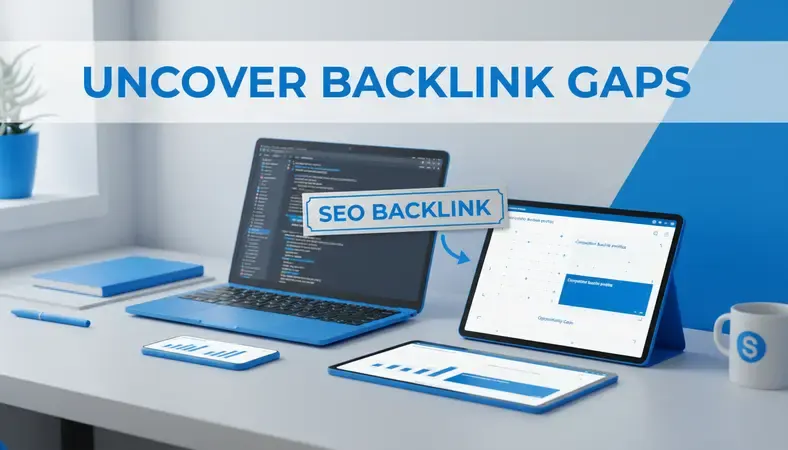
    Dashboard showing competitor backlink analysis with highlighted link building opportunities and broken links

    How to Check Your Own Backlinks

    Regular backlink audits help you understand what's working and identify potential problems before they hurt your rankings.

    Monthly Backlink Audits

    Set up a monthly review process using Google Search Console and your preferred backlink tool:

    1. Export your current backlink list from Google Search Console
    2. Compare with previous month's data to identify new and lost links
    3. Analyze new backlinks for quality and relevance
    4. Check for toxic links that might harm your rankings

    Identifying Toxic Backlinks

    Not all backlinks help your SEO. Watch for these warning signs:

    • Links from unrelated industries: A casino link to your accounting blog raises red flags
    • Excessive exact-match anchors: Too many links with your target keyword as anchor text
    • Low-quality directories: Mass directory submissions often hurt more than help
    • Paid link networks: Google actively penalizes artificial link schemes

    Use tools like SEMrush's "Backlink Audit" or Ahrefs' "Disavow Tool" to identify potentially harmful links, then submit a disavow file to Google if necessary.

    Tracking Link Building Progress

    Monitor these key metrics monthly:

    • Total referring domains: The number of unique sites linking to you
    • Domain authority of linking sites: Quality matters more than quantity
    • Anchor text distribution: Maintain a natural mix of branded and keyword anchors
    • Link velocity: Steady growth looks more natural than sudden spikes

    What Makes a Quality Backlink

    Understanding backlink quality helps you prioritize link building efforts and evaluate opportunities effectively.

    Authority and Relevance Signals

    High-quality backlinks share several characteristics:

    • Domain authority: Links from established, trusted websites carry more weight
    • Topical relevance: Links from sites in your industry or related fields perform better
    • Editorial placement: Links within content outperform sidebar or footer links
    • Natural anchor text: Varied, natural-sounding link text appears more authentic

    Red Flags to Avoid

    Steer clear of backlinks that could trigger Google penalties:

    • Excessive reciprocal linking: Too many "I'll link to you if you link to me" arrangements
    • Keyword stuffing in anchors: Overusing exact-match keywords in link text
    • Links from penalized sites: Association with banned or low-quality domains
    • Paid link schemes: Networks selling links specifically for SEO manipulation

    Key Insight: One high-quality, relevant backlink often provides more SEO value than dozens of low-quality directory links. Focus on earning links from sites your target audience actually reads and trusts.

    How to Use Backlink Data for SEO Strategy

    Raw backlink data becomes valuable when you transform it into actionable SEO strategies.

    Content Planning Based on Link Analysis

    Analyze which content types earn the most backlinks in your industry:

    • Research-heavy guides: In-depth tutorials and how-to content consistently attract links
    • Original data and surveys: Unique research becomes a linkable asset other sites reference
    • Tools and calculators: Interactive content generates natural backlinks from users
    • Industry news and commentary: Timely content on trending topics earns quick links

    Use competitor analysis to identify content gaps where you can create superior resources that naturally attract backlinks.

    Link Building Campaign Development

    Transform backlink research into systematic outreach campaigns:

    1. Identify link prospects from competitor analysis and industry research
    2. Create linkable assets specifically designed to earn backlinks
    3. Develop outreach templates personalized for different prospect types
    4. Track campaign performance and refine your approach based on results

    Integration with Broader SEO Strategy

    Backlink building works best when integrated with your overall SEO efforts:

    • Keyword research: Target keywords where backlinks can realistically help you rank
    • Technical SEO: Ensure your site can handle increased traffic from new backlinks
    • Content marketing: Create content specifically designed to earn natural links
    • Local SEO: Focus on local backlinks for location-based businesses

    Common Questions About Google Find Backlinks

    How often should I check my backlinks?

    Check your backlinks monthly for most websites. High-growth sites or those running active link building campaigns might benefit from weekly monitoring. Google Search Console updates regularly, while third-party tools refresh their databases at different intervals.

    Can I remove bad backlinks pointing to my site?

    You can't directly remove backlinks from other sites, but you can ask site owners to remove them or use Google's Disavow Tool to tell Google to ignore specific links. Only disavow links that are clearly spammy or potentially harmful — Google is good at ignoring low-quality links automatically.

    Do social media links count as backlinks?

    Most social media links use "nofollow" attributes, which means they don't pass traditional SEO value. However, social signals can drive traffic and increase brand awareness, which indirectly benefits your SEO through increased searches and engagement.

    How many backlinks do I need to rank well?

    There's no magic number of backlinks required for ranking. Quality matters far more than quantity. A single link from a major publication in your industry can outweigh hundreds of directory links. Focus on earning relevant, high-quality backlinks rather than hitting specific numbers.

    What's the difference between dofollow and nofollow links?

    Dofollow links pass SEO value from the linking site to your site, while nofollow links include a tag that tells search engines not to pass authority. Both types can drive traffic, but dofollow links directly impact your search rankings while nofollow links provide indirect benefits.

    Should I buy backlinks to improve my rankings faster?

    Buying backlinks violates Google's guidelines and can result in severe penalties. Instead, invest in creating high-quality content and legitimate outreach efforts. The temporary ranking boost from purchased links isn't worth the risk of losing your search visibility entirely.

    The Bottom Line

    Finding backlinks with Google's free tools gives you a solid foundation, but combining them with specialized backlink analysis tools provides the complete picture you need for effective SEO strategy. Start with Google Search Console and search operators, then graduate to premium tools as your needs grow.

    Boost your backlink strategy at LinkLoop — automated link building and content optimization specifically designed for adult sites and competitive niches. Ready to get started? Visit LinkLoop to learn more.
  • SEO Title Generator Tools: Which Is Best?

    SEO Title Generator Tools: Which Is Best?

    Creating compelling titles that rank well and drive clicks requires balancing SEO optimization with human appeal. An SEO title generator can help you craft headlines that satisfy both search algorithms and real readers, but choosing the right tool depends on your specific needs and workflow.

    Professional workspace showing multiple SEO title generator tools on computer screens with analytics data

    Whether you're managing content at scale or crafting individual pieces, the right SEO title generator streamlines your process while improving your click-through rates. This guide compares the leading options and helps you choose the tool that fits your content strategy.

    What Is an SEO Title Generator?

    An SEO title generator is a specialized tool that creates optimized headlines for web content by analyzing keyword data, search intent, and proven title formulas. These tools combine artificial intelligence with SEO best practices to suggest titles that balance search engine visibility with user engagement.

    Most SEO title generators work by analyzing your target keyword, examining top-ranking pages, and applying proven title structures that drive both rankings and clicks. The best tools go beyond basic keyword insertion to consider search intent, emotional triggers, and character limits for optimal display in search results.

    Key Insight: Effective SEO titles typically generate 30-50% higher click-through rates than generic headlines, making the right generator tool a significant traffic multiplier.

    Best SEO Title Generator Tools

    The SEO title generator landscape includes both free AI-powered options and premium tools with advanced features. Here's how the leading options compare across key criteria:

    Comparison of Top SEO Title Generator Tools

    Tool Best For Key Features Pricing Model
    Grammarly AI Content teams needing writing integration Grammar checking, tone analysis, title suggestions Subscription-based
    Copy.ai High-volume content creation Bulk generation, multiple variations, templates Freemium with paid tiers
    Jasper Enterprise content workflows Brand voice training, team collaboration Premium subscription
    ChatGPT Custom title strategies Conversational refinement, context awareness Free and paid tiers
    Headline Studio Data-driven optimization Performance scoring, A/B testing insights Free and premium options

    Each tool serves different content creation scenarios. Copy.ai excels at generating multiple title variations quickly, making it ideal for testing different approaches. Grammarly AI integrates title suggestions directly into your writing workflow, while Jasper offers advanced customization for enterprise teams managing brand consistency across large content volumes.

    Free vs Premium Features

    Free SEO title generators typically offer basic keyword integration and template-based suggestions. Premium versions add advanced features like competitor analysis, performance prediction, and bulk generation capabilities.

    Most free tools limit you to 5-10 title suggestions per query and use generic templates. Premium versions analyze your specific niche, learn from your brand voice, and provide detailed explanations for why certain titles might perform better.

    How to Use an SEO Title Generator

    The effectiveness of any SEO title generator depends heavily on the input quality and how you refine the suggestions. Here's the process that consistently produces the best results:

    1. Keyword Research First: Start with your target keyword from tools like Ahrefs or SEMrush. The generator needs this foundation to create relevant suggestions.

    2. Define Search Intent: Specify whether users are looking for information, comparing options, or ready to take action. This context shapes the title structure.

    3. Input Competitor Analysis: Many tools improve their suggestions when you provide examples of currently ranking titles for your target keyword.

    4. Generate Multiple Variations: Create 10-15 different options rather than settling for the first few suggestions. The best titles often come from combining elements across multiple suggestions.

    5. Test Emotional Triggers: Use the generator to experiment with different emotional appeals – urgency, curiosity, benefit-focused, or authority-based approaches.

    Step-by-step workflow showing SEO title generator interface with keyword input and multiple title suggestions

    The key is treating the generator as a starting point rather than a final answer. The most effective approach combines AI suggestions with your understanding of your audience and content goals.

    SEO Title Best Practices and Guidelines

    Effective SEO titles follow specific technical and psychological principles that most generators incorporate into their algorithms. Understanding these principles helps you evaluate and refine any generated suggestions.

    Technical Requirements

    • Character Limits: Keep titles under 60 characters to avoid truncation in search results. Most generators flag this automatically.
    • Keyword Placement: Include your primary keyword near the beginning when possible, but prioritize natural readability.
    • Unique Value Proposition: Every title should clearly communicate what makes your content different or better.

    Psychological Elements

    The best-performing titles tap into specific psychological triggers that drive clicks:

    • Curiosity Gap: Create intrigue without being clickbait ("The Surprising Factor That Determines…")
    • Specific Benefits: Promise concrete outcomes ("Increase Organic Traffic by 40% Using…")
    • Authority Signals: Include credibility markers ("According to 500+ SEO Experts…")
    • Urgency or Timeliness: When appropriate, add time-sensitive elements ("2024 Guide to…")

    Pro Tip: Titles that include numbers, specific benefits, and emotional words typically generate 25% higher click-through rates than generic alternatives.

    How SEO Titles Impact Rankings and CTR

    Search engines use title tags as a primary relevance signal, making them one of the most important on-page SEO elements. But the relationship between titles and rankings is more nuanced than simple keyword matching.

    Google's algorithm considers title relevance, user engagement signals, and how well the title matches search intent. A well-crafted title that accurately represents your content and encourages clicks creates a positive feedback loop that improves rankings over time.

    Click-Through Rate Impact

    Higher click-through rates from search results send strong signals to Google about content quality and relevance. Pages with above-average CTRs for their position often see gradual ranking improvements, while pages with poor CTRs may decline even with strong technical SEO.

    Industry data shows that improving your title can increase CTR by 20-50% without changing your ranking position. This makes title optimization one of the highest-impact, lowest-effort SEO improvements you can make.

    Free vs Paid SEO Title Generators

    The choice between free and paid SEO title generators depends on your content volume, team size, and optimization needs. Here's how they compare in practice:

    Free Tool Limitations

    Free SEO title generators typically offer:
    * Basic keyword integration using simple templates
    * Limited suggestions per query (usually 5-10 options)
    * Generic formulas that work across industries but lack specificity
    * No performance tracking or optimization insights

    These tools work well for individual content creators or small websites with occasional title optimization needs. However, they often produce similar suggestions across different users and topics.

    Premium Tool Advantages

    Paid platforms provide:
    * Advanced AI Training: Tools learn from your brand voice and content style over time
    * Competitor Intelligence: Analysis of what's currently ranking for your target keywords
    * Performance Prediction: Scoring systems that estimate click-through potential
    * Bulk Processing: Generate titles for multiple pieces simultaneously
    * Integration Capabilities: Direct connection with content management systems and analytics

    For content teams managing dozens of pieces monthly, the time savings and improved performance typically justify the cost within the first few months.

    Side-by-side comparison showing free vs premium SEO title generator features and capabilities

    Integrating Title Generators Into Your SEO Workflow

    The most successful content teams integrate SEO title generators into their broader content creation and optimization process rather than using them as standalone tools.

    Content Planning Phase

    Use title generators during keyword research to identify content angles that balance search volume with competition. Generate multiple title options for each target keyword to understand different approaches before writing begins.

    Writing and Editing Phase

    Rather than creating titles after content is complete, generate options early in the writing process. This helps ensure your content actually delivers on the promise made in the title, improving user engagement and reducing bounce rates.

    Performance Optimization

    Track which generated titles perform best for your specific audience and content types. Most teams find that certain title formulas work better in their niche, allowing them to refine their generator inputs over time.

    A/B Testing Integration

    Use title generators to create variations for split testing. Many content management systems allow easy title A/B testing, and generators provide the volume of options needed for meaningful tests.

    The key is viewing title generation as part of a larger optimization system rather than a one-time task. Teams that integrate generators into their regular workflow see compound improvements in both rankings and click-through rates.

    Common Questions About SEO Title Generators

    Do SEO title generators actually improve rankings?

    SEO title generators improve rankings indirectly by helping create titles that better match search intent and drive higher click-through rates. While the generator itself doesn't influence rankings, the optimized titles it produces can lead to better user engagement signals that Google considers in its algorithm.

    The most significant impact comes from improved CTR, which creates a positive feedback loop with search engines. Pages that consistently attract more clicks relative to their position often see gradual ranking improvements over time.

    How accurate are AI-generated title suggestions?

    AI-generated title suggestions are most accurate when provided with specific context about your target keyword, audience, and content type. Generic inputs typically produce generic results, while detailed prompts that include competitor analysis and search intent yield much more relevant suggestions.

    Most modern generators achieve 70-80% relevance when given proper context, but human review and refinement remain essential for optimal results.

    Can I use the same title generator for different content types?

    Different content types often require different title approaches, and the best generators allow you to specify content format and intent. Blog posts, product pages, and landing pages each benefit from distinct title strategies that most advanced generators can accommodate.

    However, you may find that certain tools excel at specific content types. Testing multiple generators for your various content needs often yields the best overall results.

    Wrapping Up

    The right SEO title generator depends on your content volume, team structure, and optimization goals. Free tools work well for occasional use, while premium options provide the advanced features and integrations that content teams need for consistent results.

    Optimize your content strategy at LinkLoop — streamline your SEO workflow with automated backlink building and content optimization tools designed for adult site marketing. Ready to get started? Visit LinkLoop to learn more.

  • SEO Title Generator Tools: Which Is Right for You?

    SEO Title Generator Tools: Which Is Right for You?

    Writing compelling titles that rank well and drive clicks requires balancing SEO best practices with reader appeal. An SEO title generator is a software tool that automatically creates optimized page titles by analyzing keywords, search intent, and proven title formulas to help content creators craft headlines that perform well in search results.

    Professional workspace showing multiple SEO title generator tools on computer screens with keyword research data

    If you're spending hours crafting the perfect title only to see mediocre click-through rates, you're not alone. The right SEO title generator can streamline this process while improving your results. This guide compares the leading tools and helps you choose the one that fits your workflow and goals.

    What Is an SEO Title Generator?

    An SEO title generator is a specialized tool that creates optimized page titles by combining keyword research data with proven title structures. These tools analyze search volume, competition levels, and user intent to suggest headlines that balance SEO requirements with reader engagement.

    The best SEO title generators don't just stuff keywords into templates. They consider factors like character limits, emotional triggers, and search intent matching. Some integrate with analytics platforms to show how different title variations might perform based on historical data.

    Most generators work by inputting your target keyword and receiving multiple title suggestions. Advanced tools incorporate features like A/B testing capabilities, SERP analysis, and integration with content management systems.

    Best SEO Title Generator Tools

    Free AI-Powered Options

    ChatGPT and Claude
    These conversational AI tools excel at creating contextual, engaging titles when given proper prompts. They understand nuance and can adapt tone for different audiences.

    Best for: Content creators who want customizable, creative titles and don't mind crafting detailed prompts.

    Limitations: No direct SEO data integration. Requires manual keyword research and character count verification.

    Grammarly AI
    Grammarly's AI writing assistant includes title generation with built-in grammar and readability optimization. It suggests improvements for clarity and engagement.

    Best for: Writers already using Grammarly who want integrated title optimization within their existing workflow.

    Limitations: Limited SEO-specific features compared to dedicated tools.

    Dedicated SEO Tools

    Ahrefs title generator
    Leverages Ahrefs' massive keyword database to create titles optimized for search volume and competition. Provides SERP analysis for each suggestion.

    Best for: SEO professionals who need data-backed title suggestions with competitive analysis.

    Limitations: Requires Ahrefs subscription for full features. Can feel mechanical without human creativity.

    SEMrush Topic Research Tool
    Generates titles based on trending topics and search patterns. Includes social media performance predictions.

    Best for: Content marketers focusing on trending topics and viral potential.

    Limitations: Monthly search limits on free plans. Less focused on traditional SEO metrics.

    Comparison of SEO Title Generator Types

    Tool Type Strengths Best Use Case Pricing Model
    AI Chatbots Creative, contextual, unlimited Custom content, unique angles Free/subscription
    SEO Platforms Data-driven, SERP analysis Competitive research, volume targeting Monthly subscription
    Writing Tools Grammar optimization, readability Content quality, engagement focus Freemium/subscription
    Standalone Generators Simple, fast, template-based Quick generation, bulk creation Often free

    How to Use an SEO Title Generator

    Step 1: Keyword Research First

    Before using any title generator, identify your primary keyword and search intent. Tools work best when you provide specific, researched keywords rather than broad topics.

    Use tools like Google Keyword Planner or Ahrefs to find keywords with decent search volume and manageable competition. Note the search intent—informational, commercial, or transactional—as this affects title structure.

    Step 2: Input Strategic Prompts

    For AI tools, craft prompts that include:
    * Target keyword
    * Content type (guide, comparison, how-to)
    * Target audience
    * Desired tone
    * Character limit requirements

    Example prompt: "Create 5 SEO titles for a how-to guide about 'best running shoes' targeting beginner runners. Keep under 60 characters and include emotional appeal."

    Step 3: Analyze and Refine

    Don't accept the first suggestions. Generate multiple batches and look for patterns in high-performing titles. Check character counts, ensure keyword placement, and verify the title matches your content's actual value.

    Test titles against current SERP results. If every competitor uses similar phrasing, consider a different angle that still targets the same intent.

    Split screen showing title generator interface with multiple title suggestions and analytics data

    SEO Title Best Practices and Guidelines

    Character Limits and Display

    Google typically displays the first 50-60 characters of a title tag. Mobile results may show even fewer characters. Keep your most important keywords and value proposition within the first 50 characters.

    Titles longer than 60 characters aren't penalized, but the truncated portion won't appear in search results. This can hurt click-through rates if key information gets cut off.

    Keyword Placement Strategy

    Place your primary keyword as close to the beginning as possible without sacrificing readability. Search engines give more weight to keywords that appear earlier in the title.

    Avoid keyword stuffing. One primary keyword plus one or two related terms usually works better than cramming multiple exact-match phrases together.

    Emotional and Action Elements

    Include power words that trigger emotional responses: "ultimate," "essential," "proven," "secret," "instant." However, ensure these words add genuine value rather than empty hype.

    Action verbs work well for how-to content: "build," "create," "master," "solve." Numbers and years can increase click-through rates: "7 Ways," "2024 Guide."

    Testing and Optimization

    Many SEO title generators now include A/B testing features or integrate with platforms that track title performance. Use these capabilities to test different approaches systematically.

    Monitor click-through rates in Google Search Console. A title that ranks well but has low CTR indicates a disconnect between the title and searcher expectations.

    SEO Title Generator vs Manual Optimization

    When Generators Excel

    Speed and Volume: For content teams producing dozens of articles monthly, generators provide consistent starting points without creative bottlenecks.

    Data Integration: Tools connected to keyword databases can suggest titles based on actual search volume and competition data rather than intuition.

    Pattern Recognition: Generators identify successful title structures across your niche that might not be obvious manually.

    When Manual Creation Works Better

    Brand Voice: Automated tools struggle with unique brand personalities or industry-specific terminology that resonates with your specific audience.

    Complex Topics: Nuanced subjects often require human understanding to create titles that accurately represent the content while remaining compelling.

    Creative Angles: Breaking away from common title formulas sometimes requires human creativity that sees opportunities generators miss.

    Side-by-side comparison of manual vs automated title creation workflow

    Hybrid Approach Benefits

    Most successful content teams use generators for initial ideas, then manually refine based on brand guidelines and content specifics. This combines speed with personalization.

    Start with 10-15 generated options, identify the strongest elements from each, then craft 2-3 manual variations that incorporate those elements with your unique angle.

    Integrations with SEO Platforms

    Content Management Systems

    Many SEO title generators integrate directly with WordPress, allowing real-time optimization suggestions as you write. Plugins like Yoast and RankMath include basic title generation features.

    These integrations often provide immediate feedback on title length, keyword usage, and readability scores without leaving your writing environment.

    Analytics and Testing Platforms

    Advanced generators connect with Google Analytics and Search Console to show historical performance data for similar titles. This helps predict which approaches might work for your specific audience.

    Some tools integrate with heat mapping software to track how different titles perform in terms of user engagement and conversion rates beyond just clicks.

    Social Media Optimization

    Tools like CoSchedule's Headline Analyzer consider both SEO and social media performance, generating titles optimized for multiple channels simultaneously.

    This becomes important when your content strategy includes social promotion, as titles that work well for search engine optimization don't always perform well on social platforms.

    Improving Click-Through Rates with Optimized Titles

    Understanding Search Intent Matching

    Click-through rates improve dramatically when titles clearly match what searchers expect to find. Analyze the current top 10 results for your target keyword to understand the dominant intent.

    If most results are comparison guides, don't create a basic definition article with a how-to title. Match the intent, then differentiate through angle or depth.

    Psychological Triggers

    Certain words and phrases consistently improve CTR across industries. "Free," "new," "proven," and "expert" can increase clicks when used authentically.

    However, avoid clickbait that doesn't deliver. Google tracks user behavior signals, and titles that generate clicks but immediate bounces can hurt rankings over time.

    Mobile Optimization Considerations

    With mobile-first indexing, consider how your titles appear on smaller screens. Shorter titles often perform better on mobile devices where screen real estate is limited.

    Test your titles on actual mobile devices to see how they display in various search interfaces and social media platforms.

    Key Insight: The best SEO title generators combine automation with human judgment. Use tools for speed and data insights, but always apply manual refinement based on your specific audience and brand voice.

    Common Questions About SEO Title Generators

    How accurate are AI-generated titles for SEO?

    AI-generated titles can be highly effective when properly prompted with specific keywords and intent information. However, they require human review for brand alignment and accuracy. The best results come from using AI for initial ideas, then manually refining based on your specific audience and competitive landscape.

    Modern AI tools like ChatGPT understand context well enough to create engaging, relevant titles. The key is providing detailed prompts that include your target keyword, content type, audience, and any specific requirements like character limits or tone preferences.

    Should I use the exact title a generator suggests?

    Rarely. Use generated titles as starting points rather than final versions. The most effective approach involves generating multiple options, identifying strong elements from each, then crafting a final version that incorporates those elements with your unique brand voice and specific content angle.

    Consider factors the generator might miss: your brand personality, specific audience terminology, or competitive differentiation opportunities that require human insight.

    Do SEO title generators work for all industries?

    Effectiveness varies significantly by industry complexity and audience sophistication. Generators work well for straightforward topics like consumer products, how-to content, and general business advice. They struggle more with highly technical fields, regulated industries, or niche B2B topics that require specialized knowledge.

    For complex industries, use generators for structural inspiration rather than complete titles. The tool might suggest effective formulas like "X vs Y: Complete Comparison" that you can adapt with industry-specific terminology.

    Can title generators hurt my SEO rankings?

    Poor-quality generators that create generic, keyword-stuffed titles can potentially harm rankings by reducing click-through rates or creating titles that don't match content. However, reputable tools from established SEO platforms generally follow current best practices.

    The bigger risk comes from over-relying on automation without human oversight. Always review generated titles for accuracy, brand alignment, and genuine value proposition before publishing.

    How often should I update titles generated by these tools?

    Monitor title performance monthly through Google Search Console. If click-through rates remain below 2-3% after 90 days, consider testing new title variations. However, avoid frequent changes that might confuse search engines or disrupt established rankings.

    Focus updates on titles for high-traffic pages where small CTR improvements create significant traffic gains. For newer content, give titles at least 60-90 days to establish performance baselines before making changes.

    Wrapping Up

    The right SEO title generator depends on your specific workflow, technical requirements, and content volume. AI tools like ChatGPT excel at creative, contextual titles but require manual SEO verification. Dedicated SEO platforms provide data-driven suggestions with built-in optimization features but may lack creative nuance.

    Most successful content teams use a hybrid approach: generators for speed and initial ideas, manual refinement for brand alignment and competitive differentiation. Optimize your content strategy at LinkLoop with automated backlinks and content tools designed specifically for adult site SEO success. Ready to get started? Visit LinkLoop to learn more.

  • Master Platform SEO Today

    Master Platform SEO Today

    Platform SEO transforms how search engines understand and rank your content by focusing on the underlying infrastructure that powers your website. Instead of optimizing individual pages in isolation, platform SEO creates systematic improvements across your entire digital presence. This approach delivers measurable results: companies implementing comprehensive platform SEO strategies typically see 40-60% improvements in organic traffic within six months.

    Modern SEO dashboard showing platform optimization metrics and performance analytics

    If you're managing SEO for multiple sites, working with complex content management systems, or struggling to scale your optimization efforts, platform SEO provides the framework you need. This guide walks through exactly how to implement platform SEO strategy, from initial assessment to ongoing optimization.

    What Is Platform SEO?

    Platform SEO is the practice of optimizing the technical foundation, content architecture, and systematic processes that support search engine visibility across an entire digital platform. Rather than optimizing individual pages one by one, platform SEO focuses on creating scalable systems that automatically improve SEO performance for all content within your ecosystem.

    Think of it as building SEO into your platform's DNA. When you publish new content, the platform automatically applies optimized URL structures, generates proper meta tags, creates internal linking opportunities, and ensures technical compliance. This systematic approach eliminates manual SEO tasks while delivering consistent results.

    The core components include technical infrastructure optimization, automated content optimization workflows, systematic internal linking strategies, and performance monitoring systems. For adult industry websites specifically, platform SEO becomes even more critical due to advertising restrictions and the need for organic traffic growth.

    Platform SEO vs Traditional SEO

    Understanding the difference between platform SEO and traditional SEO determines which approach fits your specific situation and goals.

    Comparison of SEO Approaches

    Aspect Traditional SEO Platform SEO
    Focus Individual page optimization System-wide optimization
    Scalability Manual, time-intensive Automated, scalable
    Implementation Page-by-page basis Platform-wide deployment
    Maintenance Ongoing manual updates Systematic automation
    Best For Small sites, specific campaigns Large sites, multiple properties
    Resource Requirements High manual effort High initial setup, low ongoing effort

    Traditional SEO works well for smaller websites or specific campaigns where you can dedicate individual attention to each page. You manually optimize title tags, meta descriptions, content structure, and internal linking for every piece of content. This approach gives you granular control but becomes unsustainable as your content volume grows.

    Platform SEO shines when you're managing large content volumes, multiple websites, or need consistent optimization across diverse content types. The initial setup requires more technical expertise, but once implemented, the system handles optimization automatically. New content inherits optimized structures, and updates apply across your entire platform simultaneously.

    Side-by-side visualization of traditional vs platform SEO workflows and efficiency metrics

    The choice depends on your scale and resources. If you publish fewer than 50 pages monthly and have dedicated SEO staff, traditional optimization might suffice. If you're publishing hundreds of pages, managing multiple sites, or working in industries with advertising restrictions like adult content, platform SEO becomes essential for sustainable growth.

    Platform SEO Tools and Software

    Effective platform SEO requires tools that can analyze, implement, and monitor optimizations at scale. The right combination depends on your platform type, technical requirements, and budget constraints.

    Enterprise SEO Platforms:
    * Botify: Comprehensive technical SEO analysis for large websites with advanced crawling capabilities and log file analysis
    * DeepCrawl: Technical SEO monitoring with automated alerts and detailed reporting for enterprise-level implementations
    * Conductor: Content optimization platform with workflow automation and performance tracking across multiple properties

    Content Management Integration:
    * Yoast SEO: WordPress plugin providing automated optimization features and real-time content analysis
    * Screaming Frog: Desktop crawler for technical audits and ongoing monitoring of platform-wide SEO health
    * SEMrush: All-in-one platform offering keyword research, competitive analysis, and automated optimization suggestions

    Technical Implementation Tools:
    * Google Search Console: Essential for monitoring platform performance and identifying technical issues across your entire site structure
    * Google Analytics: Traffic analysis and user behavior insights that inform platform optimization decisions
    * Schema Markup Generators: Tools for implementing structured data across content types systematically

    The most effective approach combines multiple tools rather than relying on a single solution. Start with Google Search Console and Google Analytics for baseline monitoring, then add specialized tools based on your specific platform requirements and optimization goals.

    Platform SEO Best Practices

    Implementing platform SEO successfully requires systematic approaches that scale across your entire digital presence. These practices form the foundation of sustainable SEO growth.

    Technical Infrastructure Optimization:
    * Site Speed: Implement caching systems, optimize images automatically, and use content delivery networks to ensure consistent loading times across all pages
    * Mobile Responsiveness: Design responsive templates that adapt seamlessly across devices without requiring individual page adjustments
    * URL Structure: Create systematic URL patterns that include relevant keywords and maintain logical hierarchy across content types
    * SSL Implementation: Secure all pages with HTTPS certificates and redirect HTTP versions automatically

    Content Architecture Systems:
    * Template Optimization: Build SEO best practices into content templates so every new page inherits optimized structures
    * Automated Meta Generation: Create systems that generate relevant title tags and meta descriptions based on content analysis and keyword targeting
    * Internal Linking Automation: Develop algorithms that identify and create relevant internal linking opportunities as new content publishes
    * Schema Markup Integration: Implement structured data templates that apply appropriate markup based on content type and industry requirements

    Technical diagram showing interconnected platform SEO elements and optimization workflow

    Quality Assurance Processes:
    * Content Standards: Establish minimum content length, keyword density guidelines, and readability requirements that apply platform-wide
    * Technical Monitoring: Set up automated alerts for broken links, crawl errors, and performance issues that could impact SEO
    * Performance Tracking: Monitor key metrics like organic traffic growth, ranking improvements, and technical health scores across your platform

    Scalability Planning:
    * Growth Accommodation: Design systems that maintain performance as content volume increases without manual intervention
    * Multi-Site Management: For organizations managing multiple properties, create standardized processes that ensure consistency across all sites
    * Team Collaboration: Implement workflows that allow content creators, developers, and SEO specialists to work together efficiently

    How to Implement Platform SEO Strategy

    Successful platform SEO implementation follows a systematic approach that builds optimization into your digital infrastructure rather than adding it as an afterthought.

    Phase 1: Platform Assessment and Planning

    Start with a comprehensive audit of your current platform architecture. Analyze your content management system, hosting infrastructure, and existing SEO implementations. Identify bottlenecks where manual optimization creates inefficiencies and areas where automation could improve consistency.

    Document your content types, publishing workflows, and technical constraints. This foundation determines which optimization approaches will work within your existing systems and which require platform modifications.

    Phase 2: Technical Foundation Setup

    1. Infrastructure Optimization: Implement caching systems, optimize server configurations, and establish content delivery networks that support your traffic goals
    2. Template Development: Create optimized templates for each content type that automatically generate proper heading structures, meta tags, and schema markup
    3. URL Architecture: Design systematic URL patterns that include relevant keywords while maintaining logical hierarchy across your content categories
    4. Internal Linking Systems: Develop automated internal linking that connects related content based on topic relevance and user journey optimization

    Phase 3: Content Optimization Automation

    Build systems that optimize content during the publishing process rather than requiring post-publication manual work. This includes automated keyword analysis, meta tag generation, and content structure optimization.

    Create quality assurance checkpoints that ensure published content meets SEO standards without slowing down your publishing workflow. The goal is making optimization invisible to content creators while maintaining high standards.

    Phase 4: Monitoring and Iteration

    Implement comprehensive monitoring that tracks both technical performance and SEO results across your platform. Set up automated alerts for issues that could impact search visibility and create reporting systems that demonstrate ROI from your platform SEO investments.

    Regular analysis of platform performance data helps identify optimization opportunities and ensures your systems continue delivering results as search algorithms evolve.

    Platform SEO for Adult Industry Websites

    Adult industry websites face unique SEO challenges that make platform-level optimization essential for sustainable organic growth. Advertising restrictions on major platforms mean organic search traffic often represents the primary acquisition channel.

    Industry-Specific Challenges:
    * Content Restrictions: Search engines apply different standards to adult content, requiring careful optimization approaches that maintain visibility while respecting platform guidelines
    * Advertising Limitations: Limited paid advertising options make organic search traffic crucial for business growth and user acquisition
    * Technical Requirements: Age verification systems, content warnings, and compliance features must integrate seamlessly with SEO optimization
    * Competition Intensity: High competition for adult-related keywords requires sophisticated optimization strategies to achieve meaningful rankings

    Platform SEO Solutions for Adult Sites:

    Content categorization becomes critical for adult sites managing diverse content types. Implement systematic tagging and categorization that helps search engines understand content context while maintaining user privacy and preferences.

    Technical optimization takes on added importance when traditional marketing channels aren't available. Focus on site speed, mobile optimization, and user experience factors that directly impact search rankings and user retention.

    Professional analytics dashboard showing adult industry SEO metrics and compliance indicators

    Compliance-Integrated SEO:
    * Age Verification Integration: Implement age verification systems that don't interfere with search engine crawling or indexing processes
    * Content Labeling: Use systematic content labeling that helps search engines categorize content appropriately while maintaining discoverability
    * Privacy Protection: Balance SEO optimization with user privacy requirements specific to adult content consumption

    Link Building Strategies:
    Traditional link building approaches often don't work for adult sites due to industry stigma. Platform SEO becomes more valuable because it focuses on technical excellence and content quality rather than external validation. Implement comprehensive internal linking strategies and focus on creating content that naturally attracts backlinks from industry-appropriate sources.

    Measuring Platform SEO Performance

    Effective platform SEO measurement requires tracking metrics that reflect systematic improvements rather than individual page performance. Focus on indicators that demonstrate platform-wide optimization success.

    Core Performance Metrics:
    * Organic Traffic Growth: Track month-over-month organic traffic increases across your entire platform, not just individual high-performing pages
    * Crawl Efficiency: Monitor how effectively search engines crawl and index your content using Google Search Console data
    * Technical Health Scores: Track Core Web Vitals, mobile usability, and other technical factors that impact platform-wide performance
    * Content Optimization Rates: Measure what percentage of your content meets optimization standards automatically versus requiring manual intervention

    Advanced Analytics Implementation:

    Set up custom tracking that measures platform SEO effectiveness across different content types and user segments. This includes tracking how automated optimizations perform compared to manually optimized content and identifying areas where your platform systems excel or need improvement.

    ROI Measurement:
    Calculate the time savings from automated optimization compared to manual SEO work. Platform SEO investments should demonstrate clear returns through reduced manual effort and improved organic traffic performance.

    Track ranking improvements for target keywords across your platform to ensure systematic optimization delivers measurable results. Focus on improvements in ranking distribution rather than just top-performing pages.

    Common Questions About Platform SEO

    How long does platform SEO implementation take?

    Platform SEO implementation typically requires 3-6 months for complete deployment, depending on your platform complexity and existing technical infrastructure. The initial setup phase takes 4-8 weeks, followed by testing and optimization refinements.

    Unlike traditional SEO where you see results page by page, platform SEO shows gradual improvement across your entire site as the systems take effect. Most organizations see measurable traffic improvements within 60-90 days of full implementation.

    Can platform SEO work with existing content management systems?

    Yes, platform SEO adapts to most content management systems through plugins, custom development, or integration with existing workflows. WordPress, Drupal, and custom CMS platforms all support platform SEO implementation with varying levels of technical modification required.

    The key is working within your existing system's capabilities rather than requiring complete platform migration. Most platform SEO improvements can be implemented through template modifications, plugin installations, and workflow adjustments.

    What's the difference between platform SEO and technical SEO?

    Technical SEO focuses on the technical aspects that help search engines crawl and index your site effectively. Platform SEO encompasses technical SEO but extends to systematic content optimization, automated workflows, and scalable processes that improve SEO across your entire digital presence.

    Think of technical SEO as the foundation and platform SEO as the complete optimization system built on that foundation. Platform SEO includes technical elements but adds content optimization automation and systematic processes.

    How does platform SEO handle content at scale?

    Platform SEO excels at scale through automation and systematic processes. Instead of optimizing each piece of content individually, you create templates and workflows that apply optimization automatically as content publishes.

    This includes automated meta tag generation, systematic internal linking, consistent URL structures, and quality assurance processes that ensure SEO standards without manual intervention. The larger your content volume, the more valuable platform SEO becomes.

    Is platform SEO suitable for small websites?

    Platform SEO works best for websites publishing significant content volumes or managing multiple properties. Small sites with fewer than 50 pages monthly might find traditional SEO more cost-effective initially.

    However, if you plan to scale your content production or manage multiple sites, implementing platform SEO early prevents technical debt and establishes systems that support growth without requiring complete SEO overhauls later.

    Final Thoughts

    Platform SEO transforms how you approach search optimization by building systematic improvements into your digital infrastructure. Instead of constantly chasing individual page optimizations, you create systems that deliver consistent results across your entire platform.

    Optimize your adult site's platform SEO at LinkLoop — automated backlinks and content systems designed specifically for adult industry SEO challenges. Ready to get started? Visit LinkLoop to learn more.

  • 8 SEO Strategy Templates That Actually Deliver

    8 SEO Strategy Templates That Actually Deliver

    Creating an effective SEO strategy without a clear template is like building a house without blueprints. You might end up with something functional, but it won't be optimized, scalable, or sustainable. An seo strategy template provides the structured framework that transforms scattered SEO efforts into a cohesive plan that drives measurable results.

    Professional workspace showing SEO strategy documents and analytics dashboard on computer screen

    Most businesses struggle with SEO because they approach it tactically rather than strategically. They optimize individual pages, build random backlinks, or chase trending keywords without understanding how these pieces fit together. A well-designed seo strategy template eliminates this guesswork by providing a systematic approach to keyword research, content planning, technical optimization, and performance measurement.

    What Is an SEO Strategy Template?

    An seo strategy template is a structured framework that outlines the specific steps, processes, and timelines needed to improve your website's search engine rankings. Think of it as your SEO roadmap—it defines what you'll optimize, when you'll do it, and how you'll measure success.

    The template typically includes sections for competitor analysis, keyword research, content planning, technical SEO audits, backlink strategies, and performance tracking. Rather than reinventing your approach for each project, the template provides a repeatable process that ensures nothing gets overlooked.

    Key Components of an Effective SEO Strategy

    Every successful seo strategy template must include these essential elements:

    Technical foundation analysis: Your template should start with a comprehensive technical audit covering site speed, mobile responsiveness, crawlability, and indexing issues. This foundation determines whether search engines can properly access and understand your content.

    Keyword research framework: A systematic approach to identifying target keywords based on search volume, competition, and business relevance. This includes primary keywords, supporting keywords, and long-tail variations that align with your content calendar.

    Content strategy planning: A structured approach to content creation that maps keywords to specific content types, publication schedules, and optimization requirements. This ensures every piece of content serves a strategic purpose.

    Backlink building strategy: A methodical approach to earning high-quality backlinks through content marketing, outreach, and relationship building. This section defines target domains, outreach templates, and tracking methods.

    SEO Strategy Template Comparison

    Template Type Best For Time Investment Complexity Level
    Basic Starter Small businesses, new websites 2-4 hours weekly Low
    Comprehensive Growth Established businesses scaling up 8-12 hours weekly Medium
    Enterprise Level Large organizations, complex sites 20+ hours weekly High
    Niche-Specific Specialized industries like adult sites 6-10 hours weekly Medium-High

    1. The Foundation-First SEO Strategy Template

    This template prioritizes technical SEO before moving into content and link building. It's ideal for new websites or sites with significant technical issues that need resolution before other SEO efforts can be effective.

    Phase 1: Technical Audit and Cleanup (Weeks 1-2)
    Start with a comprehensive technical audit using tools like Google Analytics and Search Console. Identify crawl errors, broken links, duplicate content, and site speed issues. Create a prioritized list based on impact and implementation difficulty.

    Phase 2: Keyword Foundation (Weeks 3-4)
    Conduct thorough keyword research focusing on your core business terms. Map primary keywords to existing pages and identify content gaps where new pages are needed. This phase establishes the keyword foundation that guides all future content creation.

    Phase 3: Content Optimization (Weeks 5-8)
    Optimize existing pages for target keywords while maintaining natural language flow. Update meta titles, descriptions, headers, and internal linking structure. Focus on pages with the highest traffic potential first.

    SEO audit checklist showing technical optimization steps and keyword mapping

    Phase 4: Content Creation (Weeks 9-12)
    Begin creating new content based on keyword gaps identified in phase 2. Follow a consistent publishing schedule and ensure each piece targets specific keywords while providing genuine value to readers.

    This template works particularly well for businesses that have neglected technical SEO or are launching new websites. The foundation-first approach ensures that technical barriers don't undermine your content and link building efforts.

    2. The Content-Driven SEO Strategy Template

    Perfect for businesses with strong technical foundations who need to scale their content marketing efforts. This template emphasizes systematic content creation and optimization as the primary ranking factor.

    Month 1: Content Audit and Planning
    Analyze your existing content performance using Google Analytics. Identify top-performing pages, underperforming content that could be improved, and topic gaps where competitors are ranking but you're not.

    Month 2-3: Pillar Content Development
    Create comprehensive pillar pages targeting your most important keywords. These 2,000-3,000 word guides should thoroughly cover broad topics and serve as the foundation for your content cluster strategy.

    Month 4-6: Supporting Content Creation
    Develop supporting articles that link back to your pillar content. Each supporting piece should target specific long-tail keywords while providing detailed information on subtopics within your main themes.

    The content-driven approach works best for businesses in competitive industries where content quality and depth significantly impact rankings. It requires consistent content production but can generate substantial organic traffic growth over time.

    3. The Local SEO Strategy Template

    Designed specifically for businesses serving local markets, this template focuses on location-based optimization and local search ranking factors.

    Local foundation setup (Month 1)
    Optimize Google Business Profile with accurate business information, high-quality photos, and regular posts. Ensure NAP (Name, Address, Phone) consistency across all online directories and citations.

    Location-Based Content Strategy (Month 2-3)
    Create location-specific landing pages for each service area. Develop content that addresses local search queries and incorporates geographic keywords naturally. Include local landmarks, neighborhood names, and region-specific information.

    Local link building (Month 4-6)
    Build relationships with local businesses, chambers of commerce, and community organizations. Seek opportunities for local sponsorships, partnerships, and guest content that generate backlinks from locally relevant domains.

    This template is essential for businesses like restaurants, professional services, and retail stores where local visibility directly impacts customer acquisition.

    4. The E-commerce SEO Strategy Template

    Tailored for online stores and product-based businesses, this template addresses the unique challenges of optimizing product pages, category structures, and shopping-related search queries.

    Product page optimization framework
    Develop templates for product titles, descriptions, and meta data that incorporate target keywords while maintaining readability. Create standardized approaches for handling product variations, out-of-stock items, and seasonal inventory changes.

    Category and Navigation Structure
    Design logical category hierarchies that support both user experience and search engine crawling. Implement breadcrumb navigation and internal linking strategies that distribute page authority effectively throughout your product catalog.

    Shopping intent content strategy
    Create buying guides, comparison articles, and how-to content that targets commercial keywords. These pages should guide users through the purchase decision process while establishing your expertise in your product categories.

    The e-commerce template requires careful attention to technical SEO elements like structured data markup, site speed optimization, and mobile responsiveness, as these factors significantly impact shopping experience and conversion rates.

    E-commerce website showing optimized product pages and category navigation structure

    5. The SEO Strategy Template for Adult Niche Sites

    Adult industry websites face unique SEO challenges including advertising restrictions, payment processing limitations, and content guidelines that require specialized optimization approaches.

    Content Strategy for Adult Sites
    Focus on educational content, reviews, and guides that provide genuine value while staying within search engine guidelines. Develop content categories around health, relationships, and lifestyle topics that naturally connect to your core offerings.

    Technical Considerations for Adult Content
    Implement robust age verification systems, SSL certificates, and privacy-focused analytics. Ensure your site structure supports content categorization and filtering while maintaining fast loading speeds across all device types.

    Alternative traffic sources
    Diversify beyond traditional search engines by optimizing for adult-friendly search platforms and directories. Build email lists and social media followings on platforms that allow adult content promotion.

    Key Insight: Adult sites must prioritize user trust and safety signals more than traditional websites, as these factors heavily influence both search rankings and user retention in this industry.

    6. The Backlink-Focused SEO Strategy Template

    This template prioritizes link building as the primary ranking factor, ideal for businesses in highly competitive industries where content alone isn't sufficient for top rankings.

    Link opportunity research (Month 1)
    Analyze competitor backlink profiles using tools like Ahrefs or SEMrush. Identify high-authority domains linking to competitors and assess which linking opportunities might be available to your site.

    Content for Link Building (Month 2-3)
    Create linkable assets like original research, industry surveys, comprehensive guides, and interactive tools. These pieces should provide unique value that naturally encourages other sites to reference and link to them.

    Outreach and Relationship Building (Month 4-6)
    Develop systematic outreach campaigns targeting journalists, bloggers, and industry publications. Focus on building genuine relationships rather than transactional link requests.

    The backlink-focused approach requires significant time investment in relationship building and content promotion, but can generate substantial authority improvements for competitive keywords.

    7. The Technical SEO-First Strategy Template

    Perfect for large websites with complex technical requirements, this template prioritizes site architecture, crawlability, and performance optimization before content creation.

    Site architecture optimization
    Redesign URL structures, internal linking systems, and navigation hierarchies to support both user experience and search engine crawling efficiency. Implement proper canonicalization and handle duplicate content issues systematically.

    Performance and Core Web Vitals
    Focus intensively on page speed optimization, mobile responsiveness, and user experience metrics that Google uses as ranking factors. This includes image optimization, code minification, and server response time improvements.

    Advanced technical implementation
    Implement structured data markup, XML sitemaps, and robots.txt optimization. Set up proper tracking for SEO metrics and create automated monitoring systems for technical issues.

    This template works best for enterprise-level websites or sites with significant technical debt that must be resolved before other SEO strategies can be effective.

    8. The Rapid Growth SEO Strategy Template

    Designed for startups and businesses needing quick SEO wins, this template focuses on high-impact, low-effort optimizations that can generate results within 90 days.

    Quick win identification (Week 1-2)
    Analyze existing content for optimization opportunities, identify low-competition keywords you can rank for quickly, and fix obvious technical issues that are easy to resolve.

    Content optimization blitz (Week 3-6)
    Update existing pages with better keyword targeting, improved meta descriptions, and enhanced internal linking. Focus on pages that already receive some organic traffic and can be improved with minimal effort.

    Strategic content creation (Week 7-12)
    Create targeted content around low-competition, high-intent keywords. Prioritize topics where you can establish authority quickly and generate measurable traffic increases.

    Analytics dashboard showing SEO performance improvements and traffic growth metrics

    The rapid growth template sacrifices long-term strategic depth for immediate results, making it ideal for businesses that need to demonstrate SEO value quickly to secure continued investment in optimization efforts.

    Measuring and Adjusting Your SEO Strategy

    Regardless of which seo strategy template you choose, success depends on consistent measurement and adjustment. Set up tracking for organic traffic, keyword rankings, backlink acquisition, and conversion rates from organic search.

    Review your metrics monthly and be prepared to adjust your strategy based on performance data. SEO is not a set-it-and-forget-it discipline—it requires ongoing optimization and adaptation to algorithm changes and competitive pressures.

    Common Questions About SEO Strategy Templates

    How long does it take to see results from an SEO strategy template?

    Most seo strategy template implementations show initial results within 3-6 months, with significant improvements typically visible after 6-12 months of consistent execution. The timeline depends on your starting point, competition level, and implementation consistency.

    Technical improvements and content optimization can generate quick wins within 30-60 days, while link building and authority development require longer time horizons. Set realistic expectations and focus on leading indicators like improved crawlability and content quality before expecting major ranking improvements.

    Should I use different templates for different parts of my website?

    Yes, many successful SEO strategies combine elements from multiple templates. You might use a technical-first approach for your main site while implementing a content-driven strategy for your blog and a local SEO template for location-specific pages.

    The key is maintaining consistency within each section while adapting your approach to the specific goals and constraints of different site areas. Avoid switching templates frequently, as SEO requires sustained effort to generate results.

    How do I know which SEO strategy template is right for my business?

    Choose your template based on your current SEO maturity, available resources, and business goals. New websites should start with foundation-first approaches, while established sites might benefit from content-driven or backlink-focused strategies.

    Consider your team's capabilities and time availability. A comprehensive growth template requires significant ongoing effort, while a rapid growth approach might be more realistic for smaller teams with limited SEO experience.

    Can I modify these templates for my specific industry?

    Absolutely. These templates provide frameworks that should be adapted to your industry's unique characteristics, search patterns, and competitive landscape. The adult industry template demonstrates how specific sectors require specialized approaches.

    Research your industry's specific SEO challenges and opportunities, then modify the template elements to address these factors. The core principles remain consistent, but implementation details should reflect your market's realities.

    What tools do I need to implement an SEO strategy template?

    Essential tools include Google Analytics, Google Search Console, and a keyword research platform like Ahrefs or SEMrush. Most templates can be implemented with these basic tools plus spreadsheet software for planning and tracking.

    Advanced templates might require additional tools for technical auditing, backlink analysis, or content optimization. Start with free tools and upgrade to paid platforms as your SEO efforts scale and generate measurable returns.

    How often should I update my SEO strategy template?

    Review and update your seo strategy template quarterly to account for algorithm changes, competitive shifts, and business goal evolution. The core framework can remain stable, but tactics and priorities should adapt to changing circumstances.

    Major template changes should be avoided unless performance data clearly indicates your current approach isn't working. SEO rewards consistency and patience more than frequent strategy pivots.

    Conclusion

    The right seo strategy template transforms scattered optimization efforts into a systematic approach that generates predictable results. Whether you choose a foundation-first approach for technical excellence or a content-driven strategy for authority building, the key is consistent execution and regular measurement.

    Optimize your SEO strategy at LinkLoop — get automated backlink building and content optimization specifically designed for competitive niches. Ready to get started? Visit LinkLoop to learn more.
  • Best SEO Strategy Templates Worth Trying

    Best SEO Strategy Templates Worth Trying

    An SEO strategy template eliminates the guesswork from search optimization. Instead of starting from scratch each time, you get a proven framework that covers keyword research, content planning, technical audits, and performance tracking. The right seo strategy template saves weeks of planning and ensures you don't miss critical optimization steps.

    Professional workspace showing SEO strategy documents and analytics dashboard

    Most SEO professionals waste time recreating the same planning documents for every project. A solid seo strategy template streamlines this process by providing pre-built frameworks for audits, keyword mapping, content calendars, and tracking systems. This guide covers the most effective templates that deliver measurable results.

    What Is an SEO Strategy Template?

    An seo strategy template is a structured framework that outlines the systematic approach for improving a website's search engine visibility. It includes predefined sections for keyword research, competitor analysis, content planning, technical optimization, and performance measurement.

    Think of it as a blueprint for SEO success. Just like architects use templates for building designs, SEO professionals use these frameworks to ensure consistent, comprehensive optimization efforts across all projects.

    Core Components of Effective SEO Strategy Templates

    Every successful seo strategy template contains specific elements that guide the optimization process:

    • Keyword Research Framework: Systematic approach for identifying target keywords, search volumes, and competition levels
    • Competitor Analysis Section: Templates for evaluating competitor strategies, content gaps, and backlink opportunities
    • Content Planning Structure: Editorial calendars, topic clusters, and content optimization checklists
    • Technical SEO Audit: Comprehensive checklists covering site speed, mobile optimization, and crawlability
    • Performance Tracking System: KPI definitions, reporting schedules, and goal-setting frameworks

    Key Insight: The most effective templates focus on actionable steps rather than theoretical concepts. They provide specific tasks with clear deadlines and measurable outcomes.

    1. Comprehensive SEO Audit Template

    The comprehensive audit template serves as the foundation for any successful SEO campaign. This seo strategy template provides a systematic approach to evaluating current website performance and identifying optimization opportunities.

    What Makes This Template Essential

    A thorough SEO audit reveals technical issues, content gaps, and competitive weaknesses that impact search rankings. This template ensures no critical elements are overlooked during the evaluation process.

    The audit template typically includes:

    • Technical Infrastructure Review: Site speed analysis, mobile responsiveness, SSL certificates, and crawl error identification
    • On-Page Optimization Assessment: Title tags, meta descriptions, header structure, and internal linking evaluation
    • Content Quality Analysis: Duplicate content detection, thin page identification, and keyword optimization review
    • Backlink Profile Examination: Link quality assessment, toxic link identification, and anchor text distribution analysis

    Implementation Process

    1. Site Crawl Setup: Configure tools like Screaming Frog or Sitebulb to crawl the entire website and identify technical issues
    2. Performance Baseline: Establish current rankings, traffic levels, and conversion rates using Google Analytics and Search Console
    3. Competitive Benchmarking: Analyze top-ranking competitors for target keywords and identify content gaps
    4. Priority Matrix Creation: Rank identified issues by impact and implementation difficulty to create an action plan

    This template works best for established websites with existing content and traffic. New sites benefit more from content-focused templates that emphasize building authority through valuable content creation.

    SEO audit checklist with technical analysis charts and performance metrics

    2. Content Marketing SEO Template

    The content marketing template integrates SEO principles with content strategy to create search-optimized editorial plans. This approach ensures every piece of content serves both user needs and search engine requirements.

    Strategic Content Planning Framework

    This seo strategy template focuses on creating content that ranks well and drives meaningful engagement. It combines keyword research with user intent analysis to develop content that satisfies both search algorithms and reader expectations.

    Key components include:

    • Topic Cluster Architecture: Organizing content around pillar pages and supporting articles to establish topical authority
    • Keyword Mapping System: Assigning target keywords to specific content pieces while avoiding cannibalization
    • Content Calendar Integration: Scheduling content publication to support seasonal trends and business objectives
    • Performance Tracking Setup: Monitoring content performance through organic traffic, rankings, and engagement metrics

    Content Optimization Checklist

    The template includes specific optimization guidelines for each content type:

    1. Blog Posts: Target 1,500-3,000 words with clear H2/H3 structure, internal links to related content, and optimized meta descriptions
    2. Landing Pages: Focus on commercial keywords with clear value propositions, conversion optimization, and local SEO elements
    3. Resource Pages: Comprehensive guides targeting informational keywords with extensive internal linking and regular updates

    This template particularly benefits businesses in competitive niches where content quality directly impacts rankings. Companies with limited content creation resources should start with simpler frameworks before implementing comprehensive content strategies.

    3. Technical SEO Implementation Template

    Technical SEO forms the foundation of search visibility. This seo strategy template provides a systematic approach to optimizing website infrastructure for better crawling, indexing, and ranking performance.

    Core Technical Elements

    Technical optimization requires attention to multiple interconnected systems. This template ensures comprehensive coverage of all critical technical factors:

    • Site Architecture Optimization: URL structure, navigation hierarchy, and internal linking strategies
    • Page Speed Enhancement: Image optimization, code minification, and server response time improvements
    • Mobile Experience Optimization: Responsive design implementation, touch-friendly interfaces, and mobile-specific features
    • Schema Markup Implementation: Structured data for rich snippets, local business information, and content categorization

    Technical Audit and Implementation Process

    1. Infrastructure Assessment: Evaluate hosting performance, CDN implementation, and server configuration for optimal speed
    2. Crawlability Analysis: Review robots.txt, XML sitemaps, and internal linking to ensure search engines can access all important pages
    3. Indexation Review: Identify and resolve duplicate content issues, canonical tag implementation, and noindex usage
    4. Security and Accessibility: Implement HTTPS, improve Core Web Vitals, and ensure compliance with accessibility standards

    Technical SEO Priority Matrix

    Priority Level Technical Element Impact on Rankings Implementation Difficulty
    Critical HTTPS Implementation High Low
    Critical Core Web Vitals High Medium
    High Mobile Optimization High Medium
    High XML Sitemap Medium Low
    Medium Schema Markup Medium Medium
    Medium Internal Linking Medium Low

    This template works best for websites with significant technical debt or those launching new sites. E-commerce platforms and large content sites particularly benefit from systematic technical optimization.

    Technical SEO dashboard showing site speed metrics and optimization recommendations

    4. Local SEO Strategy Template

    Local businesses require specialized optimization approaches that differ significantly from national SEO strategies. This seo strategy template focuses on geographic relevance and local search visibility.

    Local Search Optimization Framework

    Local SEO success depends on consistent business information, local content creation, and community engagement signals. This template provides structured approaches for each element:

    • Google Business Profile Optimization: Complete profile setup, regular posting, review management, and photo optimization
    • Local Citation Building: Consistent NAP (Name, Address, Phone) information across directories and review platforms
    • Geographic Content Strategy: Location-specific landing pages, local event coverage, and community-focused blog content
    • Local Link Building: Partnerships with local organizations, sponsorships, and community involvement documentation

    Implementation Priorities for Local SEO

    1. Foundation Setup: Claim and optimize Google Business Profile, ensure website contact information consistency
    2. Citation Audit: Review existing directory listings for accuracy and completeness using tools like Moz Local or BrightLocal
    3. Content Localization: Create location-specific pages for each service area with unique, valuable content
    4. Review Strategy: Implement systems for requesting, responding to, and managing customer reviews across platforms

    Local service businesses, restaurants, and retail locations see the most immediate benefits from this template. Companies serving multiple geographic areas should customize the template for each location while maintaining brand consistency.

    5. E-commerce SEO Template

    E-commerce sites face unique SEO challenges including product page optimization, category structure, and handling large inventories. This seo strategy template addresses commerce-specific optimization needs.

    Product and Category Optimization

    E-commerce SEO requires balancing user experience with search engine requirements across thousands of potential pages:

    • Product Page Structure: Optimized titles, descriptions, images, and schema markup for product information
    • Category Architecture: Logical hierarchy that supports both navigation and keyword targeting
    • Inventory Management: Handling out-of-stock products, seasonal items, and discontinued merchandise
    • User-Generated Content: Leveraging reviews, questions, and user photos for additional content and social proof

    E-commerce SEO Implementation Strategy

    The template guides systematic optimization across all commerce elements:

    1. Site Structure Planning: Design category hierarchy that balances user navigation with keyword targeting opportunities
    2. Product Content Optimization: Develop templates for product titles, descriptions, and meta tags that scale across inventory
    3. Technical Commerce Setup: Implement structured data, optimize site search, and manage pagination for large catalogs
    4. Content Marketing Integration: Create buying guides, comparison content, and educational resources that support product discovery

    E-commerce SEO Performance Metrics

    Metric Category Key Performance Indicators Tracking Method
    Visibility Product page rankings, category page visibility Google Search Console, rank tracking tools
    Traffic Organic sessions, product page views Google Analytics, enhanced e-commerce tracking
    Conversion Organic conversion rate, revenue per visitor E-commerce platform analytics
    Technical Page speed, mobile usability, crawl errors PageSpeed Insights, Search Console

    This template particularly benefits online retailers with extensive product catalogs. Fashion, electronics, and home goods retailers often see significant improvements from systematic e-commerce SEO implementation.

    SEO Strategy Template for Adult Niche Sites

    Adult websites face unique challenges including advertising restrictions, payment processing limitations, and content policy considerations. This specialized seo strategy template addresses these specific requirements while maintaining effective optimization practices.

    Specialized Optimization Considerations

    Adult sites require careful attention to compliance and user experience while building search visibility:

    • Content Compliance: Age verification systems, content warnings, and adherence to platform policies
    • Link Building Strategies: Focus on industry-specific directories, adult entertainment publications, and relevant community sites
    • Technical Considerations: Robust hosting solutions, privacy protection, and security implementations
    • User Experience Optimization: Clear navigation, mobile optimization, and fast loading speeds despite rich media content

    The adult industry benefits significantly from LinkLoop's specialized approach to backlinks and content automation, providing compliant link building strategies that work within industry constraints.

    Analytics dashboard showing SEO performance metrics and growth charts

    Measuring and Tracking SEO Performance

    Effective measurement transforms SEO from guesswork into data-driven optimization. This section of any seo strategy template should establish clear metrics, reporting schedules, and goal-setting frameworks.

    Essential SEO Metrics to Track

    Performance tracking requires monitoring multiple data sources to understand optimization impact:

    • Organic Traffic Growth: Monthly organic sessions, new vs. returning visitors, and traffic source diversity
    • Keyword Rankings: Position tracking for target keywords, ranking distribution, and featured snippet captures
    • Technical Performance: Page speed scores, Core Web Vitals, and mobile usability metrics
    • Engagement Signals: Time on page, bounce rate, pages per session, and conversion rates from organic traffic

    Setting Up SEO Reporting Systems

    1. Google Analytics Configuration: Set up goals, segments, and custom reports for SEO-specific tracking
    2. Search Console Integration: Monitor search performance, indexation status, and technical issues
    3. Rank Tracking Setup: Implement tools like Ahrefs or SEMrush for regular position monitoring
    4. Monthly Reporting Schedule: Create standardized reports that track progress against established goals

    Regular performance review enables quick identification of successful strategies and areas needing adjustment. Most successful SEO campaigns review data weekly for tactical adjustments and monthly for strategic planning.

    Common Questions About SEO Strategy Templates

    How often should I update my SEO strategy template?

    Review and update your seo strategy template quarterly to incorporate algorithm changes, new tools, and performance insights. Major template revisions should occur annually or when significant business changes occur.

    Can I use the same template for different websites?

    Yes, but customize each template for specific business goals, industry requirements, and competitive landscapes. The framework remains consistent while tactics and priorities change based on individual needs.

    What tools are essential for implementing these templates?

    Essential tools include Google Analytics, Google Search Console, and a keyword research platform like Ahrefs or SEMrush. Additional tools depend on specific template requirements and budget considerations.

    How long does it take to see results from SEO strategy implementation?

    Most SEO improvements show initial results within 3-6 months, with significant gains typically occurring after 6-12 months of consistent implementation. Technical improvements often show faster results than content-based strategies.

    Should I hire an agency or implement templates internally?

    This depends on internal expertise, available time, and budget. Simple templates can be implemented internally, while complex strategies benefit from professional expertise, especially for technical optimization and link building.

    Conclusion

    The right seo strategy template provides structure and consistency for optimization efforts while ensuring comprehensive coverage of all critical elements. Whether focusing on local search, e-commerce, or specialized niches, these frameworks eliminate guesswork and accelerate results through proven methodologies.

    Optimize your SEO strategy at LinkLoop with specialized backlinks and content automation designed for maximum search visibility and sustainable growth. Ready to get started? Visit LinkLoop to learn more.
  • Top SEO Keyword Competition Tools Worth Trying

    Top SEO Keyword Competition Tools Worth Trying

    Competition analysis separates successful SEO campaigns from failed ones. When you understand which keywords your competitors rank for and how difficult those keywords are to target, you can build content strategies that actually work. This guide covers the essential tools that help you analyze SEO keyword competition effectively, from free options to enterprise-level platforms that reveal exactly what your competitors are doing right.

    SEO professionals analyzing keyword competition data on multiple computer screens with charts and graphs

    What Is SEO Keyword Competition Analysis?

    SEO keyword competition analysis is the process of evaluating how difficult it will be to rank for specific keywords based on the strength and authority of pages currently ranking in search results. This analysis examines factors like domain authority, backlink profiles, content quality, and user engagement metrics to determine your chances of outranking existing pages.

    The process involves identifying your direct competitors, analyzing their keyword portfolios, and finding opportunities where you can compete effectively. Rather than guessing which keywords to target, competition analysis provides data-driven insights that inform your content strategy and resource allocation.

    Why It Matters: Without competition analysis, you're essentially throwing darts in the dark. Understanding keyword difficulty helps you prioritize winnable battles while avoiding oversaturated markets where you'll waste time and resources.

    How to Analyze SEO Keyword Competition

    Effective keyword competition analysis follows a systematic approach that examines multiple ranking factors. Start by identifying the top 10 pages ranking for your target keyword, then evaluate their authority signals, content depth, and technical optimization.

    Key Competition Metrics to Evaluate

    Competition analysis requires examining several critical metrics that influence search rankings:

    • Domain Authority (DA): Measures the overall strength of the ranking website
    • Page Authority (PA): Evaluates the specific page's link equity and trust signals
    • Backlink Profile: Analyzes the quantity and quality of links pointing to ranking pages
    • Content Depth: Assesses word count, topic coverage, and user engagement signals
    • Technical Factors: Reviews page speed, mobile optimization, and structured data implementation

    The most reliable approach combines automated tools with manual evaluation. Tools provide the data foundation, but human analysis reveals content gaps and opportunities that algorithms might miss.

    Manual Competition Assessment Process

    1. Search Your Target Keyword: Examine the top 10 organic results in an incognito browser window
    2. Evaluate Content Quality: Assess how thoroughly each page answers the search query
    3. Check Domain Strength: Note whether results come from established authorities or smaller sites
    4. Analyze User Intent Match: Determine how well ranking pages satisfy searcher expectations
    5. Identify Content Gaps: Look for questions or subtopics that existing pages don't address

    This manual review reveals opportunities that pure metrics might overlook, especially for newer or niche topics where established authorities haven't yet created comprehensive content.

    Split screen showing manual SERP analysis on one side and automated tool data on the other

    Tools for Keyword Competition Analysis

    The right tools transform competition analysis from guesswork into strategic planning. Each platform offers unique strengths, from comprehensive keyword databases to specialized difficulty scoring algorithms.

    1. Ahrefs Keywords Explorer

    Ahrefs provides one of the most comprehensive keyword competition analysis platforms available. Their Keywords Explorer tool combines massive keyword databases with detailed SERP analysis and competitor intelligence.

    Key Features:
    * Keyword Difficulty Score: 0-100 scale based on backlink analysis of ranking pages
    * SERP Overview: Detailed breakdown of top 10 results with key metrics
    * Content Gap Analysis: Identifies keywords competitors rank for that you don't
    * Search Volume Data: Monthly search estimates with historical trends
    * Click Distribution: Shows how clicks are distributed across organic results

    Best Use Cases:
    * Enterprise-level competitive research
    * Comprehensive keyword portfolio analysis
    * Link building opportunity identification
    * Content strategy planning based on competitor gaps

    Ahrefs excels at revealing the link-building requirements for ranking success. Their keyword difficulty metric specifically focuses on backlink strength, making it invaluable for understanding the promotional requirements behind top rankings.

    2. SEMrush Keyword Magic Tool

    SEMrush approaches competition analysis through comprehensive digital marketing intelligence. Their Keyword Magic Tool integrates keyword research with broader competitive insights across paid and organic channels.

    Key Features:
    * Keyword Difficulty Percentage: Algorithm considers multiple ranking factors beyond just backlinks
    * SERP Features Tracking: Identifies which SERP features appear for target keywords
    * Competitive Density: Shows how many advertisers compete for paid placement
    * Related Keywords: Generates semantically related keyword clusters
    * Intent Classification: Categorizes keywords by commercial, informational, or navigational intent

    Best Use Cases:
    * Integrated paid and organic strategy development
    * SERP feature optimization planning
    * Multi-channel competitive intelligence
    * Large-scale keyword clustering and organization

    SEMrush provides broader marketing context than pure SEO tools, making it valuable for understanding the complete competitive landscape across search channels.

    3. Moz Keyword Explorer

    Moz takes a balanced approach to keyword difficulty assessment, combining link metrics with content and user engagement signals. Their Priority Score helps identify the most valuable opportunities.

    Key Features:
    * Difficulty Score: Considers domain authority, page authority, and content factors
    * Opportunity Score: Estimates potential for ranking improvement
    * Priority Score: Combines difficulty, opportunity, and search volume into single metric
    * SERP Analysis: Detailed breakdown of ranking factors for top results
    * Keyword Suggestions: Generates related terms based on semantic relationships

    Best Use Cases:
    * Balanced difficulty assessment beyond just backlinks
    * Small to medium business keyword strategy
    * Local SEO competition analysis
    * Content optimization recommendations

    Moz's approach works particularly well for businesses that can't compete on pure link authority but can win through superior content and user experience optimization.

    4. Google Ads Keyword Planner

    Google's own tool provides direct insights into keyword competition from the search engine's perspective. While designed for paid advertising, it offers valuable organic competition insights.

    Key Features:
    * Competition Level: High, medium, or low based on advertiser activity
    * Bid Range Estimates: Indicates commercial value and competition intensity
    * Search Volume Ranges: Official Google search volume data
    * Keyword Ideas: Suggestions based on your website or seed keywords
    * Historical Trends: Seasonal patterns and search volume changes

    Best Use Cases:
    * Free competition assessment for budget-conscious businesses
    * Understanding commercial intent and value
    * Identifying seasonal keyword opportunities
    * Validating search volume estimates from other tools

    The Keyword Planner excels at revealing commercial competition intensity, which often correlates with organic difficulty for transactional keywords.

    Comparison of SEO Competition Analysis Tools

    Tool Keyword Difficulty Focus Database Size Best For Price Range
    Ahrefs Backlink-focused analysis 22+ billion keywords Link building strategy $99-$999/month
    SEMrush Multi-factor algorithm 25+ billion keywords Integrated marketing $119-$449/month
    Moz Balanced authority signals 500+ million keywords Content-first strategy $99-$599/month
    Google Ads Advertiser competition Complete Google data Budget-conscious analysis Free

    Each tool serves different strategic needs. Ahrefs dominates for link-focused analysis, SEMrush provides comprehensive marketing intelligence, Moz balances multiple factors effectively, and Google Ads offers free baseline insights.

    Side-by-side screenshots of different keyword competition tools showing their interfaces and data

    Interpreting Competition Metrics and Difficulty Scores

    Understanding what competition metrics actually mean determines whether your keyword targeting strategy succeeds or fails. Different tools use varying methodologies, so interpreting scores correctly prevents strategic mistakes.

    Keyword Difficulty Score Ranges

    Most tools use 0-100 scales, but the interpretation varies significantly:

    Low Competition (0-30):
    * New or niche topics with limited existing content
    * Long-tail keywords with specific intent
    * Local keywords in less competitive markets
    * Opportunities for newer websites to rank quickly

    Medium Competition (31-70):
    * Established topics with moderate competition
    * Requires quality content and some authority signals
    * Achievable with focused content strategy and promotion
    * Sweet spot for most content marketing efforts

    High Competition (71-100):
    * Highly competitive commercial keywords
    * Dominated by established authorities with strong backlink profiles
    * Requires significant resources and long-term commitment
    * Often better approached through long-tail variations

    Beyond the Numbers: Qualitative Assessment

    Difficulty scores provide starting points, not final answers. Manual SERP analysis reveals opportunities that automated metrics miss:

    • Content Quality Gaps: High-authority sites with thin or outdated content
    • Intent Mismatches: Pages ranking that don't fully satisfy user intent
    • Technical Issues: Strong domains with poor page optimization
    • SERP Feature Opportunities: Chances to capture featured snippets or other SERP features

    The most successful keyword strategies combine quantitative difficulty data with qualitative content analysis to identify winnable opportunities.

    Low Competition Keywords vs High Competition Keywords

    The competition level fundamentally changes your approach to keyword targeting, content creation, and promotion strategy. Understanding these differences helps allocate resources effectively.

    Low Competition Keyword Characteristics

    Low competition keywords typically share common patterns that make them accessible to newer or smaller websites:

    • Specific Intent: Long-tail keywords addressing particular problems or questions
    • Limited Search Volume: Often under 1,000 monthly searches, but highly targeted
    • Newer Topics: Emerging trends or technologies without established content
    • Local Focus: Geographic modifiers that limit the competitive pool
    • Niche Audiences: Specialized topics with smaller but engaged user bases

    Strategic Advantages:
    * Faster ranking potential with quality content
    * Higher conversion rates due to specific intent
    * Opportunity to establish early authority in emerging topics
    * Lower content promotion requirements

    High Competition Keyword Strategy

    High competition keywords require fundamentally different approaches focused on long-term authority building:

    • Content Depth: Comprehensive resources that exceed existing content quality
    • Link Building: Systematic acquisition of high-quality backlinks
    • Brand Authority: Establishing expertise and trust signals
    • Technical Excellence: Superior page experience and optimization
    • Sustained Effort: Multi-month campaigns with consistent optimization

    When to Target High Competition Keywords:
    * You have significant resources for content and promotion
    * Your brand has existing authority in the topic area
    * The keyword represents core business value worth the investment
    * You can approach through supporting long-tail keywords first

    Key Insight: Most successful SEO strategies target a mix of competition levels, using low competition keywords for quick wins while building toward higher competition terms through authority development.

    Competitive Landscape Analysis for Target Keywords

    Understanding your specific competitive landscape reveals strategic opportunities and threats that generic difficulty scores can't capture. This analysis identifies who you're actually competing against and how to differentiate your approach.

    Identifying Your Real Competitors

    SERP competitors often differ from business competitors. A local restaurant might compete with national food blogs for recipe keywords, while a software company might compete with educational institutions for informational queries.

    Competitor Categories to Analyze:

    • Direct Business Competitors: Companies offering similar products or services
    • Content Competitors: Sites ranking for your target keywords regardless of business model
    • Authority Competitors: Established domains that rank broadly across your topic area
    • SERP Feature Competitors: Sites capturing featured snippets, knowledge panels, or other prominent placements

    Content Gap Analysis Process

    1. Export Competitor Keywords: Use tools like Ahrefs or SEMrush to download competitor keyword rankings
    2. Identify Content Themes: Group keywords into topical clusters and content types
    3. Assess Content Quality: Evaluate the depth and usefulness of competitor content
    4. Find Opportunity Gaps: Look for topics competitors mention but don't fully address
    5. Plan Content Differentiation: Develop unique angles or more comprehensive coverage

    This analysis reveals content opportunities where you can provide superior value, even when competing against stronger domains.

    Dashboard showing competitor keyword overlap analysis with Venn diagrams and data tables

    Using Competition Data to Inform Content Strategy

    Competition analysis only creates value when it directly influences your content decisions. The most effective strategies use competitive intelligence to guide topic selection, content depth, and promotional tactics.

    Content Strategy Framework Based on Competition

    For Low Competition Keywords:
    * Create comprehensive but focused content addressing specific user intent
    * Optimize for featured snippets and other SERP features
    * Target quick publication and basic promotion
    * Monitor for ranking improvements within 30-60 days

    For Medium Competition Keywords:
    * Develop content that significantly exceeds current top results in depth and usefulness
    * Include unique data, expert insights, or original research
    * Plan systematic link building and content promotion
    * Expect 3-6 month timeline for ranking improvements

    For High Competition Keywords:
    * Create definitive resource content that becomes the industry standard
    * Incorporate multimedia, interactive elements, and comprehensive coverage
    * Execute sustained link building and brand authority campaigns
    * Plan 6-12 month timeline with ongoing optimization

    Content Differentiation Strategies

    Winning in competitive spaces requires clear differentiation from existing content:

    • Unique Data: Original research, surveys, or proprietary insights
    • Expert Perspectives: Interviews with industry leaders or case studies
    • Comprehensive Coverage: Address subtopics competitors ignore
    • Better User Experience: Superior design, navigation, and page speed
    • Regular Updates: Keep content current while competitors let theirs stagnate

    The goal isn't just to match competitor content quality—it's to provide demonstrably superior value that search engines and users recognize.

    Common Questions About SEO Keyword Competition Analysis

    How Often Should I Analyze Keyword Competition?

    Competition analysis should be an ongoing process rather than a one-time activity. For most businesses, quarterly comprehensive analysis works well, with monthly monitoring of key metrics. High-competition markets may require more frequent assessment, while stable niche markets might need less frequent updates.

    Monitor your target keywords monthly for ranking changes and new competitors entering the space. Significant algorithm updates or industry changes should trigger immediate competitive reassessment to identify new opportunities or threats.

    What's the Difference Between Keyword Difficulty and Competition?

    Keyword difficulty specifically measures how hard it will be to rank for a particular keyword based on the strength of currently ranking pages. Competition is broader, encompassing the number of sites targeting the keyword, advertiser activity, and overall market saturation.

    Difficulty focuses on ranking factors like backlinks and domain authority, while competition includes factors like content quality, user experience, and commercial intent. A keyword might have low difficulty (weak ranking pages) but high competition (many sites targeting it).

    Can I Rank for High Competition Keywords Without Backlinks?

    While backlinks remain crucial for high competition keywords, exceptional content and user experience can sometimes overcome link disadvantages. Focus on creating content that's significantly better than existing results, optimizing for user intent, and building authority through expertise demonstration.

    However, for most high competition commercial keywords, backlinks are essential. Consider targeting long-tail variations first to build topical authority, then gradually work toward broader high-competition terms as your domain strength increases.

    How Do I Know If Competition Analysis Tools Are Accurate?

    Tool accuracy varies by database size, update frequency, and methodology. Cross-reference difficulty scores across multiple tools and always validate with manual SERP analysis. Look for consistency in general difficulty trends rather than relying on exact scores.

    The most reliable approach combines tool data with manual assessment. Tools excel at providing baseline metrics and trend data, while human analysis reveals content opportunities and intent matching that algorithms might miss.

    Should I Avoid All High Competition Keywords?

    High competition keywords shouldn't be completely avoided, but they require different strategies and realistic timelines. If a keyword is crucial to your business, develop a long-term plan that builds authority through related lower-competition terms first.

    Consider the business value versus resource requirements. A high competition keyword that drives significant qualified traffic might justify the investment, while pursuing high competition vanity keywords rarely makes business sense.

    What Competition Metrics Matter Most for Local SEO?

    Local SEO competition analysis focuses on different factors than national campaigns. Prioritize local pack rankings, Google My Business optimization, and locally-focused content rather than pure domain authority metrics.

    Key local competition factors include proximity to searcher, review quantity and quality, local citation consistency, and locally-relevant content. National authority sites often rank in organic results, but local businesses can dominate the local pack with proper optimization.

    What This Means for You

    Effective SEO keyword competition analysis transforms guesswork into strategic advantage. By understanding which battles you can win and which require long-term investment, you can allocate resources efficiently and build sustainable organic growth.

    Analyze your keyword competition at LinkLoop and discover untapped opportunities in your market with our comprehensive backlink and content automation platform designed specifically for competitive SEO analysis. Ready to get started? Visit LinkLoop to learn more.

  • SEO Backlink Software Tools and Resources

    SEO Backlink Software Tools and Resources

    Finding the right SEO backlink software can transform your link building from a time-consuming manual process into a strategic, data-driven operation. With hundreds of tools claiming to boost your rankings, choosing the wrong one wastes months of effort and budget. This guide breaks down the essential backlink software categories, features to prioritize, and specific tools that deliver measurable results for different business needs.

    Professional workspace showing multiple screens with backlink analysis dashboards and SEO metrics

    Understanding SEO Backlink Software Categories

    SEO backlink software falls into distinct categories, each serving specific functions in your link building strategy. Understanding these categories helps you select tools that complement rather than duplicate your existing workflow.

    Backlink analysis tools focus on examining your current link profile and identifying opportunities. These platforms crawl the web to discover who links to your site, analyze the quality of those links, and track changes over time. They're essential for understanding your baseline and measuring improvement.

    Competitor research platforms specialize in reverse-engineering successful link building strategies. They reveal where competitors acquire their best links, which content attracts the most backlinks, and gaps in their link profiles you can exploit.

    Link building automation software streamlines outreach and relationship management. These tools help you find contact information, send personalized emails at scale, and track response rates across campaigns.

    Monitoring and alert systems watch for new backlinks, lost links, and changes in link quality. They provide real-time notifications when competitors gain valuable links or when your own links disappear.

    Key Software Categories Comparison

    Category Primary Function Best For Typical Cost Range
    Analysis Tools Link profile examination Audits and baseline assessment Contact for pricing
    Competitor Research Reverse-engineering strategies Finding new opportunities Contact for pricing
    Automation Platforms Outreach and relationship management Scaling link building campaigns Contact for pricing
    Monitoring Systems Real-time link tracking Ongoing maintenance Contact for pricing

    Best SEO Backlink Software Tools

    Comprehensive Analysis Platforms

    Ahrefs dominates the backlink analysis space with the world's second-largest web crawling database. The platform updates its index every 15 minutes, providing near real-time backlink data. Ahrefs excels at identifying referring domains, analyzing anchor text distribution, and tracking domain rating changes over time.

    The Site Explorer tool reveals your complete backlink profile, including historical data going back years. You can filter by link type, follow/nofollow status, and domain strength to focus on the most valuable connections. The Content Explorer feature shows which pages in your niche attract the most backlinks, helping you identify content gaps and opportunities.

    SEMrush combines backlink analysis with broader SEO functionality. The Backlink Analytics tool provides detailed competitor link profiles, while the Link Building Tool suggests prospects based on your competitors' link sources. SEMrush's strength lies in integrating backlink data with keyword rankings, helping you understand which links drive the most organic traffic growth.

    The platform's Backlink Audit feature automatically identifies toxic links that could harm your rankings. It provides a disavow file ready for Google Search Console, streamlining the cleanup process for sites with link penalties.

    Specialized Competitor Research Tools

    SpyFu focuses specifically on competitive intelligence, making it easier to understand competitor link building strategies without overwhelming data. The platform shows exactly which keywords drive traffic to competitor pages and which sites link to those high-performing pages.

    The Backlink Outreach tool identifies websites that link to multiple competitors but not to your site, creating a prioritized prospect list. SpyFu's historical data goes back 15 years, revealing long-term link building patterns and seasonal opportunities.

    Split-screen comparison showing competitor backlink profiles and opportunity gaps

    Link Building Automation Solutions

    Pitchbox streamlines the entire outreach process from prospect research to follow-up sequences. The platform integrates with major SEO tools to import prospect lists, then uses AI to find contact information and personalize outreach messages.

    Pitchbox's strength lies in campaign management and team collaboration. You can assign prospects to team members, track response rates by message template, and automatically follow up with non-responders. The platform maintains detailed records of all interactions, preventing duplicate outreach and building long-term relationships.

    BuzzStream takes a relationship-first approach to link building automation. The platform helps you build and maintain a database of contacts in your industry, tracking all interactions and collaboration history. This approach works particularly well for businesses focused on long-term relationship building rather than one-off link requests.

    The research tools help you identify decision-makers at target publications, while the email templates and scheduling features ensure consistent follow-up without appearing automated.

    Features to Look for in Backlink Software

    Data Accuracy and Freshness

    The foundation of effective backlink software is accurate, up-to-date data. Look for platforms that update their link databases frequently—ideally daily or weekly rather than monthly. Fresh data helps you respond quickly to new link opportunities and identify lost links before they impact rankings.

    Database size matters less than crawl frequency and data verification. A smaller database that's updated regularly provides more actionable insights than a massive database with stale information. The best tools combine large-scale crawling with manual verification processes to ensure accuracy.

    Historical data retention allows you to track long-term trends and understand the impact of your link building efforts over time. Platforms that store 6-12 months of historical data help you identify patterns and measure campaign effectiveness.

    Integration Capabilities

    Modern SEO workflows require tools that work together seamlessly. Look for backlink software that integrates with your existing SEO tools, CRM systems, and content management platforms. Native integrations save hours of manual data export and import.

    API access enables custom integrations and automated reporting. If you manage multiple clients or need to combine backlink data with other metrics, API functionality becomes essential for scaling your operations.

    Export options should include multiple formats (CSV, Excel, PDF) and customizable data fields. The ability to create white-label reports helps agencies present professional deliverables to clients.

    Modern interface showing multiple SEO tools connected through API integrations

    User Interface and Learning Curve

    Backlink software often contains overwhelming amounts of data. The best platforms present complex information in intuitive, actionable formats. Look for tools with customizable dashboards that highlight the metrics most important to your specific goals.

    Filtering and sorting capabilities help you focus on high-value opportunities without getting lost in thousands of low-quality prospects. Advanced filters by domain authority, traffic estimates, and relevance scores streamline your workflow significantly.

    Educational resources and customer support quality vary dramatically between platforms. Tools with comprehensive training materials, video tutorials, and responsive support teams reduce the time investment required to become proficient.

    Backlink Analysis and Monitoring Capabilities

    Real-Time Link Discovery

    The speed at which you discover new backlinks directly impacts your ability to capitalize on opportunities and address threats. Leading platforms now offer real-time notifications when new links appear, allowing you to thank linkers, amplify positive mentions, and respond to negative coverage immediately.

    Alert customization lets you focus on the most important changes. Set up notifications for links from high-authority domains, mentions of specific keywords, or links to competitor content. Avoid alert fatigue by filtering out low-value notifications that don't require immediate action.

    Link verification features help distinguish between genuine new links and temporary mentions that may disappear. Some platforms automatically re-check new links after 48-72 hours to confirm they're permanent additions to your link profile.

    Historical Trend Analysis

    Understanding how your link profile evolves over time reveals the long-term impact of your strategies. Look for tools that track domain authority changes, referring domain growth, and anchor text distribution shifts across months and years.

    Correlation analysis helps you connect specific campaigns or content pieces to measurable link growth. The best tools let you add campaign markers to your timeline, making it easy to see which efforts drove the most valuable links.

    Competitive benchmarking over time shows whether you're gaining or losing ground relative to competitors. Monthly snapshots of competitor link profiles help you identify when rivals launch successful campaigns and adapt your strategy accordingly.

    Competitor Backlink Research Tools

    Reverse Engineering Link Strategies

    Successful competitor analysis goes beyond simply listing where competitors get their links. The most valuable insights come from understanding the content strategies, relationship patterns, and timing that make competitor campaigns successful.

    Content gap analysis reveals topics that attract links in your industry but that you haven't covered yet. Look for tools that can identify the specific content formats (guides, tools, studies) that consistently earn links in your niche.

    Link acquisition patterns show you the optimal timing and frequency for outreach campaigns. Some competitors may focus on seasonal campaigns, while others maintain steady year-round efforts. Understanding these patterns helps you avoid oversaturated periods and capitalize on quieter opportunities.

    Relationship mapping identifies the publications and websites that regularly link to competitors. These represent your highest-probability prospects, as they've already demonstrated interest in your topic area and willingness to link to commercial content.

    Opportunity Identification

    The most actionable competitor research focuses on link gaps—sites that link to multiple competitors but not to your business. These represent qualified prospects who already understand your industry and have established linking relationships.

    Broken link opportunities emerge when competitor content that attracted many links becomes outdated or disappears. Tools that identify these situations let you create updated content and reach out to sites with broken links, offering your content as a replacement.

    Content format analysis reveals which types of content (infographics, research studies, tools) perform best for link building in your space. This intelligence guides your content creation strategy toward formats with proven link-earning potential.

    Competitive Intelligence Features Comparison

    Feature Ahrefs SEMrush SpyFu Majestic
    Historical Data 7+ years 5+ years 15+ years 10+ years
    Link Gap Analysis Advanced Advanced Basic Advanced
    Content Analysis Comprehensive Comprehensive Limited Basic
    Prospect Export Unlimited Limited by plan Unlimited Limited
    Real-time Alerts Yes Yes No Yes

    Link Building Automation Features

    Prospect Research Automation

    Manual prospect research consumes enormous amounts of time that could be spent on relationship building and content creation. Advanced automation tools can identify relevant websites, find contact information, and score prospects based on likelihood to link—all without manual intervention.

    Domain scoring algorithms evaluate prospects based on authority metrics, relevance to your niche, and historical linking patterns. The best systems learn from your successful campaigns, improving their recommendations over time.

    Contact finding tools search multiple databases and social networks to locate decision-makers at target publications. Look for platforms that verify email addresses and provide confidence scores for contact accuracy.

    Personalization at scale uses website data, recent content, and social media activity to customize outreach messages automatically. While human review remains essential, automation can handle basic research and template customization.

    Flowchart showing automated prospect research process from domain discovery to personalized outreach

    Email Campaign Management

    Effective link building requires consistent follow-up and relationship nurturing. Automation platforms help you maintain professional communication without losing the personal touch that builds genuine relationships.

    Sequence automation sends follow-up emails at optimal intervals based on recipient behavior. The best systems pause sequences when prospects engage with your content or visit your website, preventing over-communication.

    Response categorization uses AI to sort incoming emails by intent—positive responses, requests for more information, rejections, and out-of-office replies. This helps you prioritize high-value conversations and avoid wasting time on dead-end prospects.

    Performance tracking measures open rates, response rates, and conversion rates by message template, sender, and prospect category. This data helps you optimize your outreach strategy and identify the most effective approaches for different types of sites.

    Relationship Management

    Long-term link building success depends on maintaining relationships with editors, bloggers, and content creators in your industry. CRM-style features help you track interaction history and identify opportunities for ongoing collaboration.

    Contact scoring rates relationships based on past interactions, link placements, and engagement levels. High-scoring contacts deserve more personalized attention and exclusive content opportunities.

    Collaboration tracking records all touchpoints with each contact—emails sent, links received, social media interactions, and in-person meetings. This context helps team members pick up conversations and avoid repeating previous discussions.

    Opportunity alerts notify you when contacts publish content relevant to your expertise or when they mention topics you could contribute to. Timely responses to these opportunities often result in natural link placements.

    Pricing and ROI Comparison

    Cost Structure Analysis

    SEO backlink software pricing varies dramatically based on features, data limits, and user access. Understanding the cost structure helps you select tools that align with your budget and usage patterns.

    Per-user pricing works well for small teams but becomes expensive as you scale. Look for platforms that offer team plans or unlimited user access if you need to provide access to multiple team members or clients.

    Data usage limits often represent the hidden costs in SEO tools. Some platforms charge extra for additional domain analyses, competitor reports, or API calls. Factor these potential overages into your budget planning.

    Contract flexibility varies significantly between vendors. Some tools require annual commitments with steep cancellation penalties, while others offer month-to-month flexibility. Consider your business stability and growth plans when evaluating contract terms.

    ROI Measurement Framework

    Calculating the return on investment for backlink software requires tracking both direct and indirect benefits. Direct benefits include time savings from automation and increased efficiency in prospect identification. Indirect benefits encompass improved rankings, increased organic traffic, and higher conversion rates.

    Time savings quantification measures the hours saved through automation and improved workflows. If your team previously spent 20 hours per week on manual prospect research, and software reduces this to 5 hours, the time savings alone may justify the investment.

    Link acquisition cost compares the cost per acquired link before and after implementing new tools. Include software costs, team time, and any additional expenses in your calculations. A tool that doubles your link acquisition rate while increasing costs by only 30% provides clear ROI.

    Traffic and ranking improvements represent the ultimate measure of backlink software success. Track organic traffic growth, keyword ranking improvements, and conversion rate changes that correlate with your link building efforts.

    Integration with SEO Platforms

    Native Tool Integrations

    The most efficient SEO workflows connect backlink software with broader SEO platforms, eliminating manual data transfers and providing comprehensive performance views. Look for tools that integrate natively with Google Search Console, Google Analytics, and major SEO platforms.

    Google Search Console integration allows you to correlate link building efforts with actual ranking improvements and traffic changes. The best tools can show which new links coincide with ranking jumps for specific keywords.

    Content management system connections streamline the process of updating internal linking structures and optimizing pages that attract new backlinks. WordPress plugins and API integrations automate many routine optimization tasks.

    Reporting platform integration enables automated client reporting and performance dashboards. Instead of manually compiling data from multiple sources, integrated tools can generate comprehensive reports that combine backlink metrics with traffic and ranking data.

    Data Export and API Capabilities

    Advanced users often need to combine backlink data with proprietary analytics systems or custom reporting tools. Robust API access and flexible export options enable these advanced use cases.

    API rate limits and data access restrictions vary significantly between platforms. High-volume users should verify that API limitations won't constrain their intended usage before committing to a platform.

    Custom field mapping allows you to structure exported data to match your existing systems and workflows. Look for tools that let you customize column headers, data formats, and filtering criteria in exports.

    Webhook support enables real-time data synchronization between your backlink tools and other systems. This functionality is particularly valuable for agencies managing multiple clients or businesses with complex attribution models.

    Common Questions About SEO Backlink Software

    How often should backlink data be updated?

    Daily updates provide the most actionable intelligence for active link building campaigns. However, weekly updates suffice for most businesses focused on long-term strategy rather than real-time opportunity response. The key is consistency—irregular updates make it difficult to track trends and measure campaign effectiveness.

    Real-time alerts for high-value links (from authoritative domains in your industry) justify the premium that some platforms charge for frequent updates. But avoid paying for daily updates if you only review backlink data monthly.

    What's the difference between free and paid backlink tools?

    Free backlink tools typically provide limited data samples—perhaps 100 backlinks instead of your complete profile—and update less frequently. They're useful for basic competitive research but insufficient for comprehensive link building campaigns.

    Paid tools offer complete data sets, advanced filtering options, historical tracking, and integration capabilities. The investment pays off quickly if you're actively building links, as the time savings and improved targeting more than offset the software costs.

    Free tools work well for small businesses doing occasional competitive research. But if link building represents a significant part of your marketing strategy, paid tools become essential for efficiency and effectiveness.

    How do I verify backlink data accuracy?

    Cross-reference findings between multiple tools to identify discrepancies and verify important discoveries. No single platform captures 100% of the web's links, so using 2-3 tools provides more complete coverage.

    Manually verify high-value opportunities before investing significant outreach effort. Visit the linking site, confirm the link exists, and check that it's followed and contextually relevant. Tools sometimes report links that have been removed or were never followed.

    Set up Google Search Console to track your actual backlink profile according to Google's index. While this data updates slowly, it represents the authoritative source for which links Google recognizes and values.

    Should I focus on domain authority or relevance when evaluating prospects?

    Relevance trumps raw authority for sustainable link building success. A link from a moderately authoritative site in your exact niche provides more value than a high-authority link from an unrelated industry. Search engine optimization algorithms increasingly prioritize topical relevance over pure domain metrics.

    However, don't ignore authority entirely. The ideal prospects combine strong domain authority with clear relevance to your business. These sites provide both immediate SEO value and qualified referral traffic.

    Use authority metrics as a tiebreaker between equally relevant prospects, not as the primary selection criteria. A balanced link profile includes both high-authority and highly-relevant sources.

    How many backlink tools do I actually need?

    Most businesses achieve optimal efficiency with 2-3 specialized tools rather than one comprehensive platform. A primary analysis tool (like Ahrefs or SEMrush) handles most research needs, while a specialized outreach platform manages campaign execution.

    Avoid tool overlap that duplicates functionality without adding value. Two tools with identical features waste money and create workflow confusion. Instead, select complementary tools that excel in different areas of the link building process.

    Start with one comprehensive tool to establish your baseline and understand your needs. Add specialized tools only when you identify specific gaps in functionality that impact your results.

    What metrics matter most for tracking backlink software ROI?

    Referring domains growth provides the clearest measure of link building success. Track new referring domains acquired per month and compare periods before and after implementing new tools or strategies.

    Organic traffic increases represent the ultimate goal of link building efforts. Use Google Analytics to measure organic traffic growth and correlate increases with major link acquisitions or backlink campaigns.

    Time efficiency metrics quantify the operational benefits of better tools. Measure hours spent on prospect research, outreach, and relationship management before and after tool implementation. Significant time savings often justify software investments even before considering SEO improvements.

    The Bottom Line

    Choosing the right SEO backlink software depends on your specific needs, team size, and link building strategy. Focus on tools that provide accurate, fresh data while streamlining your most time-consuming tasks. Start with one comprehensive platform to establish your baseline, then add specialized tools as your campaigns become more sophisticated. Automate your backlink strategy at LinkLoop — streamline prospect research and outreach for faster link acquisition. Ready to get started? Visit LinkLoop to learn more.

  • Essential SEO Backlink Software Tools

    Essential SEO Backlink Software Tools

    SEO backlink software transforms how digital marketers discover, analyze, and build high-quality links. Instead of manual outreach and guesswork, these platforms provide data-driven insights into competitor strategies, identify valuable link opportunities, and automate relationship-building processes. Professional SEO teams rely on backlink software to scale their link building efforts while maintaining quality standards that search engines reward.

    Professional SEO workspace showing backlink analysis dashboard with link metrics and competitor data

    Understanding SEO Backlink Software Fundamentals

    SEO backlink software refers to specialized tools that help marketers analyze, monitor, and build backlinks to improve search engine rankings. These platforms combine web crawling technology, database analysis, and outreach automation to streamline the traditionally manual process of link building.

    The core functionality centers on three main capabilities: analyzing existing backlink profiles, identifying new link opportunities, and managing outreach campaigns. Modern seo backlink software platforms integrate these functions into unified dashboards that provide actionable insights for link building strategies.

    Key Insight: Effective backlink analysis requires understanding both quantity and quality metrics. The best seo backlink software tools evaluate domain authority, relevance, and link placement context—not just raw link counts.

    Professional SEO teams use these tools to reverse-engineer competitor strategies, discover broken link opportunities, and track the impact of their link building campaigns on search rankings. The automation features save hundreds of hours compared to manual outreach while maintaining personalization that builds genuine relationships.

    Best SEO Backlink Software Tools

    Comprehensive Analysis Platforms

    Ahrefs stands as the industry standard for backlink analysis and research. The platform maintains one of the largest link databases, updating billions of pages daily to provide current backlink data. SEO professionals rely on Ahrefs for competitor analysis, keyword research, and content gap identification.

    The Site Explorer feature reveals comprehensive backlink profiles, showing referring domains, anchor text distribution, and link quality metrics. The Content Explorer identifies popular content in any niche, revealing link-worthy topics and potential outreach targets.

    SEMrush combines backlink analysis with broader SEO functionality, making it valuable for agencies managing multiple client campaigns. The Backlink Analytics tool provides detailed competitor insights, while the Link Building Tool automates prospect discovery and outreach management.

    The platform's strength lies in its integrated approach—connecting backlink data with keyword rankings, paid advertising insights, and social media metrics. This comprehensive view helps teams understand how link building fits into broader marketing strategies.

    Specialized Link Building Tools

    Pitchbox focuses specifically on outreach automation and relationship management. The platform excels at personalizing email sequences, tracking response rates, and managing complex outreach campaigns across multiple team members.

    The prospecting features automatically gather contact information and social media profiles, enabling highly targeted outreach campaigns. Integration with major seo backlink software platforms ensures teams can act quickly on new opportunities.

    BuzzStream emphasizes relationship building and long-term outreach management. The platform maintains detailed records of all interactions, helping teams avoid duplicate outreach and build genuine professional relationships.

    The research features identify key influencers and decision-makers within target publications, improving outreach success rates through better targeting and personalization.

    Split-screen comparison showing backlink analysis dashboard and outreach campaign management interface

    Features to Look for in Backlink Software

    Database Size and Update Frequency

    The foundation of effective seo backlink software lies in comprehensive, current data. Leading platforms crawl billions of web pages daily, ensuring their link databases reflect recent changes in the link landscape.

    Database size directly impacts discovery capabilities—larger databases reveal more opportunities and provide more accurate competitive analysis. Update frequency ensures teams act on current information rather than outdated link profiles.

    Comparison of Essential Features

    Feature Category Basic Tools Professional Tools Enterprise Tools
    Database Size 1-5 billion URLs 10-20 billion URLs 25+ billion URLs
    Update Frequency Weekly Daily Real-time
    Competitor Analysis Limited domains Unlimited analysis Advanced filtering
    Outreach Management Basic templates Automated sequences Team collaboration
    API Access None Limited calls Full integration
    Historical Data 6 months 2+ years Complete archives

    Professional-grade platforms provide historical backlink data, enabling teams to track link acquisition patterns and identify seasonal opportunities. This longitudinal view reveals which strategies produce sustained results versus temporary gains.

    Advanced Filtering and Segmentation

    Effective seo backlink software includes sophisticated filtering options that help teams focus on high-value opportunities. Quality filters should include domain authority ranges, traffic estimates, spam score thresholds, and content relevance scoring.

    Geographic and language filters become crucial for local SEO campaigns or international expansion strategies. Industry-specific filters help teams identify niche-relevant opportunities that broader tools might miss.

    The ability to save and share custom filter sets streamlines team collaboration and ensures consistent evaluation criteria across campaigns.

    Backlink Analysis and Monitoring Capabilities

    Real-Time Link Discovery

    Modern seo backlink software platforms provide real-time notifications when new backlinks are discovered pointing to your site or competitor sites. This immediate awareness enables quick response to both positive and negative link developments.

    Alert systems should distinguish between different link types—new referring domains carry more weight than additional links from existing domains. Quality scoring helps teams prioritize which new links deserve immediate attention versus routine monitoring.

    Historical Trend Analysis

    Understanding backlink acquisition patterns over time reveals insights about successful content strategies, seasonal opportunities, and competitive movements. Professional platforms maintain multi-year historical data that shows how link profiles evolve.

    Trend analysis identifies which types of content consistently attract links, helping teams focus their content creation efforts on formats and topics with proven link-earning potential. This data-driven approach improves resource allocation and campaign planning.

    Pro Tip: Look for unusual spikes in competitor backlink acquisition—these often reveal successful campaigns or content pieces worth analyzing and potentially improving upon.

    Link Quality Assessment

    Sophisticated seo backlink software evaluates link quality using multiple factors beyond simple domain metrics. Context analysis examines where links appear on pages, surrounding content relevance, and anchor text naturalness.

    Quality assessment features should flag potentially harmful links that could trigger search engine penalties. Automated spam detection saves manual review time while protecting sites from negative SEO attacks.

    Dashboard showing real-time backlink monitoring with quality scores and trend graphs

    Competitor Backlink Research Tools

    Comprehensive Competitor Analysis

    Effective competitor research begins with identifying direct and indirect competitors in search results. The best seo backlink software tools analyze entire competitor backlink profiles, revealing link acquisition strategies and identifying gaps in your own profile.

    Competitor analysis features should provide:

    • Link intersection analysis showing domains linking to multiple competitors but not your site
    • Unique link identification revealing exclusive opportunities each competitor has secured
    • Content analysis showing which competitor pages attract the most high-quality links
    • Anchor text comparison revealing keyword targeting strategies across competitor profiles

    Strategic Opportunity Identification

    Advanced platforms identify specific link opportunities by analyzing competitor backlinks and determining which might be attainable for your site. This involves evaluating relationship indicators, content gaps, and outreach feasibility.

    The most valuable opportunities often come from domains that link to multiple competitors—these sites demonstrate interest in your industry and may be receptive to quality content from additional sources.

    Broken link analysis on competitor sites reveals immediate opportunities where you can provide replacement content, offering value to linking sites while securing relevant backlinks.

    Link Building and Outreach Automation

    Prospect Discovery and Research

    Modern seo backlink software automates the time-consuming process of finding potential link partners. Advanced platforms combine multiple data sources to identify relevant websites, contact information, and decision-maker details.

    Automated research features gather social media profiles, recent content topics, and engagement patterns that enable highly personalized outreach. This depth of information improves response rates by demonstrating genuine interest in each prospect's work.

    Email Campaign Management

    Sophisticated outreach platforms manage complex email sequences while maintaining personalization at scale. Features include:

    • Dynamic personalization using prospect data to customize subject lines and content
    • Response tracking that automatically categorizes replies and updates campaign status
    • Follow-up automation that sends appropriately timed follow-up messages based on recipient behavior
    • Team collaboration tools that prevent duplicate outreach and maintain consistent messaging

    Relationship Management

    Long-term link building success depends on maintaining professional relationships with editors, bloggers, and website owners. The best platforms function as CRM systems specifically designed for outreach relationships.

    Relationship management features track interaction history, preferred communication methods, and successful collaboration patterns. This institutional knowledge prevents teams from repeatedly making the same mistakes and helps identify the most productive relationship-building strategies.

    Pricing and ROI Comparison

    Investment Levels and Expected Returns

    SEO backlink software pricing varies significantly based on database size, feature depth, and usage limits. Entry-level tools typically start around $100-200 monthly, while enterprise platforms can exceed $1,000 monthly for comprehensive access.

    ROI calculation should consider both direct cost savings from automation and indirect benefits from improved search rankings. Teams that effectively use seo backlink software often reduce manual outreach time by 60-80% while improving success rates through better targeting.

    Cost-Benefit Analysis Framework

    When evaluating platforms, consider these key factors:

    • Time savings from automated research and outreach management
    • Success rate improvements through better targeting and personalization
    • Data quality that enables more strategic decision-making
    • Team collaboration features that improve workflow efficiency
    • Scalability to support growing link building operations

    The most expensive tool isn't always the best choice—teams should select platforms that match their current needs while providing room for growth.

    Side-by-side pricing comparison chart showing different software tiers and included features

    Integration with SEO Platforms

    Workflow Integration Benefits

    Leading seo backlink software platforms integrate seamlessly with broader SEO toolsets, creating unified workflows that connect link building with keyword research, content planning, and performance tracking.

    Integration capabilities should include:

    • Keyword research tools to align link building with target keyword strategies
    • Content management systems to track which content attracts the most valuable links
    • Analytics platforms to measure the impact of link building on organic traffic and rankings
    • Project management tools to coordinate link building with broader marketing campaigns

    Data Synchronization and Reporting

    Comprehensive integration enables teams to create unified reports that show how link building contributes to overall SEO performance. This holistic view helps justify continued investment and identifies the most effective link building strategies.

    API access allows custom integrations with internal tools and databases, enabling sophisticated analysis that combines proprietary data with external link intelligence.

    Common Questions About SEO Backlink Software

    How accurate is backlink data from these tools?

    No single platform captures 100% of the web's backlinks, but leading tools like Ahrefs and SEMrush maintain accuracy rates above 90% for most domains. Database size and update frequency directly impact accuracy—larger, more frequently updated databases provide more complete pictures of backlink profiles.

    Different platforms may show varying link counts for the same domain due to different crawling priorities and indexing methods. Professional SEO teams often use multiple tools to get the most comprehensive view of their backlink landscape.

    Can these tools help identify and remove harmful backlinks?

    Yes, most professional seo backlink software platforms include spam detection and link quality assessment features. These tools flag potentially harmful links based on various quality signals including domain reputation, anchor text patterns, and link context.

    However, automated detection isn't perfect—manual review remains important for making final decisions about disavowing links. The tools excel at identifying candidates for further investigation rather than making definitive quality judgments.

    How long does it take to see results from link building campaigns?

    Search engines typically take 2-4 months to fully recognize and credit new backlinks in rankings. However, the timeline varies based on the linking domain's authority, crawl frequency, and the competitiveness of target keywords.

    High-authority links from frequently crawled sites may show impact within weeks, while links from smaller sites might take several months to influence rankings. Consistent link building over time produces more sustainable results than sporadic campaigns.

    What's the difference between free and paid backlink tools?

    Free tools typically offer limited database access, basic functionality, and restricted usage quotas. They're useful for small-scale analysis but lack the comprehensive data and advanced features needed for professional link building campaigns.

    Paid platforms provide larger databases, real-time updates, advanced filtering options, outreach automation, and detailed competitive analysis. The investment typically pays for itself through improved efficiency and better results for serious SEO campaigns.

    How do I choose the right backlink software for my needs?

    Start by identifying your primary use cases—whether you need comprehensive analysis, outreach automation, or competitive research. Consider your team size, budget, and technical requirements when evaluating options.

    Most platforms offer free trials that allow hands-on testing with your actual websites and competitors. Take advantage of these trials to evaluate data quality, interface usability, and feature relevance before making long-term commitments.

    The Bottom Line

    Professional SEO success requires sophisticated backlink analysis and strategic link building. The right seo backlink software transforms manual, time-intensive processes into data-driven campaigns that scale efficiently while maintaining quality standards. Automate your backlink research and outreach at LinkLoop — streamline your SEO workflow with comprehensive link intelligence and automated campaign management. Ready to get started? Visit LinkLoop to learn more.

  • SEO Tools: Automated vs Manual – Which Works?

    SEO Tools: Automated vs Manual – Which Works?

    Automated SEO tools promise to handle keyword research, backlink analysis, and content optimization while you sleep. Manual SEO strategies give you complete control but demand significant time investment. The reality? Most successful SEO campaigns use both approaches strategically.

    Professional SEO specialists typically spend 60-70% of their time on automated analysis and monitoring, then apply manual expertise to interpret results and execute high-impact strategies. This guide compares automated SEO tools against manual approaches, helping you decide which balance works for your specific situation.

    Split-screen comparison showing automated SEO dashboard on left and manual spreadsheet analysis on right

    Understanding Your SEO Automation Options

    Automated SEO tools handle repetitive tasks like rank tracking, backlink monitoring, and technical audits without human intervention. These platforms crawl websites, analyze competitor data, and generate reports on schedule.

    Manual SEO strategies involve hands-on keyword research, content analysis, and strategic decision-making. You personally evaluate search intent, assess content quality, and make tactical adjustments based on your expertise.

    The key distinction isn't tool versus no-tool—it's systematic automation versus manual control at each decision point.

    Comparison of SEO Approaches

    Approach Best For Time Investment Skill Requirement Data Accuracy
    Automated Tools Large-scale monitoring, routine audits 2-5 hours/week Beginner to intermediate High volume, variable quality
    Manual Strategies Strategic decisions, content quality 15-25 hours/week Intermediate to expert Lower volume, high precision
    Hybrid Approach Most campaigns 8-12 hours/week Intermediate Balanced coverage

    Most agencies use automated tools for data collection and manual expertise for strategy execution. This combination delivers comprehensive coverage without overwhelming time investment.

    Best Automated SEO Tools for Link Building

    Link building automation focuses on prospect identification, outreach management, and relationship tracking. These tools excel at scale but require manual oversight for quality control.

    Ahrefs leads automated backlink analysis with comprehensive link databases and automated monitoring. The platform tracks new backlinks, lost links, and competitor link acquisition automatically.

    SEMrush provides automated link building workflows including prospect identification, email templates, and follow-up sequences. Their Link Building Tool automates much of the prospecting process.

    Pitchbox specializes in outreach automation with email sequences, response tracking, and relationship management. The platform integrates with major SEO tools for seamless workflow automation.

    BuzzStream combines automated prospect research with manual relationship building. It automatically gathers contact information while preserving personal outreach quality.

    Key Insight: Automated link building tools excel at prospect identification and administrative tasks, but manual relationship building still drives the highest-quality backlinks.

    These platforms reduce manual research time by 70-80%, but successful link building still requires personal relationship development and custom outreach strategies.

    Features to Look for in SEO Automation Software

    Effective automated SEO tools share specific capabilities that distinguish professional platforms from basic utilities.

    Real-time rank tracking monitors keyword positions across search engines, devices, and locations automatically. Quality tools update rankings daily and alert you to significant changes.

    Automated technical audits scan websites for SEO issues including broken links, duplicate content, and page speed problems. These audits should run on schedule and prioritize issues by impact.

    Competitor monitoring tracks competitor content, backlinks, and ranking changes automatically. The best tools identify new competitor strategies and content gaps.

    Integration capabilities connect SEO tools with analytics platforms, content management systems, and marketing automation software. Seamless data flow eliminates manual data entry.

    Custom reporting generates automated reports for clients or stakeholders with relevant metrics and actionable insights. Reports should be customizable and delivered on schedule.

    Alert systems notify you of critical changes like ranking drops, new backlinks, or technical issues. Effective alerts prevent small problems from becoming major issues.

    SEO tool dashboard showing automated reports, alerts, and monitoring features

    Automated SEO Tools vs Manual SEO Strategies

    The automated versus manual debate misses the point—each approach excels in different areas of SEO campaign management.

    When Automated Tools Excel

    Automated SEO tools handle data-intensive tasks more efficiently than manual approaches:

    • Large-scale rank tracking: Monitoring hundreds of keywords across multiple locations and devices
    • Technical audits: Scanning websites for SEO issues and tracking fixes over time
    • Backlink monitoring: Identifying new backlinks, lost links, and competitor link acquisition
    • Content gap analysis: Comparing your content coverage against competitors systematically
    • Reporting: Generating consistent client reports with current data and trend analysis

    When Manual Strategies Win

    Manual SEO strategies provide strategic depth that automation cannot match:

    • Search intent analysis: Understanding why users search specific keywords and what they expect to find
    • Content quality assessment: Evaluating whether content truly serves user needs beyond keyword optimization
    • Link quality evaluation: Determining which backlink opportunities align with brand values and audience
    • Strategic decision-making: Choosing which SEO opportunities to prioritize based on business goals
    • Relationship building: Developing genuine connections with industry influencers and content creators

    The Reality of Modern SEO

    Successful SEO campaigns combine both approaches strategically. Automated tools handle data collection and monitoring while manual expertise drives strategic decisions and relationship building.

    Professional SEO specialists typically use automated tools for 60-70% of their workflow, focusing manual effort on high-impact strategic activities.

    Top Automated SEO Tools Comparison

    The SEO automation landscape includes specialized tools for different aspects of search optimization. Here's how leading platforms compare across key capabilities.

    Comprehensive SEO Platforms

    Ahrefs provides the most extensive backlink database with automated monitoring and competitor analysis. Strengths include link prospecting, content gap analysis, and keyword research. Pricing starts at contact for personalized quotes.

    SEMrush offers integrated SEO, PPC, and content marketing automation. The platform excels at competitor research, position tracking, and automated audits. Comprehensive reporting makes it popular with agencies.

    Moz pro focuses on local SEO automation and beginner-friendly interfaces. Their Domain Authority metric remains widely used for quick site assessment. Strong educational resources support the platform.

    Specialized Automation Tools

    Screaming frog automates technical SEO audits with detailed crawl analysis. The tool identifies technical issues that impact search performance efficiently.

    Google search console provides free automated monitoring for search performance, indexing issues, and Core Web Vitals. Essential for any SEO strategy despite limited competitor insights.

    Rank math automates on-page SEO optimization within WordPress, providing real-time suggestions and automated schema markup.

    Side-by-side comparison of different SEO tool interfaces and capabilities

    How to Integrate Automated SEO Tools into Your Workflow

    Successful SEO automation requires strategic implementation rather than wholesale replacement of manual processes.

    Phase 1: Baseline Establishment

    Start by implementing automated rank tracking and technical auditing. These provide essential data without requiring workflow changes.

    1. Set up automated rank tracking for your primary keywords across target locations and devices
    2. Configure technical audits to run weekly, focusing on critical issues like crawl errors and page speed
    3. Establish baseline metrics for organic traffic, rankings, and technical health

    Phase 2: Competitive Intelligence

    Add competitor monitoring to identify opportunities and threats automatically.

    1. Configure competitor tracking for 3-5 direct competitors across shared keywords
    2. Set up backlink monitoring to identify new link opportunities from competitor analysis
    3. Automate content gap analysis to discover topics competitors cover that you don't

    Phase 3: Advanced Automation

    Implement sophisticated automation for link building, content optimization, and reporting.

    1. Deploy automated outreach tools for link building prospect identification and initial contact
    2. Set up automated reporting for stakeholders with relevant metrics and insights
    3. Configure alert systems for critical changes requiring immediate attention

    Integration Best Practices

    • Maintain manual oversight of automated processes to ensure quality and relevance
    • Regular tool evaluation ensures your automation stack remains effective as needs evolve
    • Data validation prevents automated errors from impacting strategic decisions
    • Staff training ensures team members can interpret automated insights effectively

    Pro Tip: Start with one automated tool and master its capabilities before adding others. Tool proliferation often reduces effectiveness rather than improving it.

    ROI and Performance Metrics for Automated SEO Tools

    Measuring automation ROI requires tracking both time savings and performance improvements across your SEO campaigns.

    Time Savings Metrics

    Automated SEO tools primarily deliver value through time efficiency:

    • Rank tracking automation saves 5-10 hours weekly for campaigns monitoring 100+ keywords
    • Technical audit automation reduces manual site analysis from 8 hours to 30 minutes
    • Competitor monitoring eliminates 3-5 hours of weekly manual research
    • Report generation saves 2-4 hours weekly for agencies managing multiple clients

    Performance Impact Metrics

    Beyond time savings, automation should improve SEO performance:

    • Faster issue identification through automated alerts prevents ranking losses
    • Comprehensive competitor analysis reveals opportunities missed by manual research
    • Consistent monitoring catches changes that sporadic manual checks might miss
    • Data-driven decisions based on comprehensive automated analysis

    ROI Calculation Framework

    Calculate automation ROI using this framework:

    1. Time savings value: (Hours saved weekly × hourly rate × 52 weeks)
    2. Performance improvements: (Additional organic traffic × conversion rate × average order value)
    3. Tool costs: (Annual subscription + setup time investment)
    4. Net ROI: ((Time savings + performance gains – tool costs) / tool costs) × 100

    Most professional SEO campaigns see 200-400% ROI from automation tools within the first year, primarily through time savings and improved monitoring capabilities.

    ROI metrics dashboard showing time savings, performance improvements, and cost analysis

    Automated SEO Tools for Backlink Analysis and Monitoring

    Backlink automation provides the most significant time savings in SEO campaigns, handling tasks that would require hundreds of manual hours.

    Automated Link Discovery

    Modern tools crawl the web continuously, identifying new backlinks within hours of publication. Ahrefs and Majestic lead this space with comprehensive link databases updated daily.

    Automated discovery catches links from:
    * News mentions and press coverage
    * Industry blog posts and resource pages
    * Social media shares that generate followed links
    * Directory submissions and business listings

    Link Quality Assessment

    Automated tools evaluate link quality using multiple signals:

    • Domain authority metrics assess the linking site's overall strength
    • Relevance scoring measures topical alignment between linking and target pages
    • Spam detection identifies potentially harmful links requiring disavowal
    • Link context analysis evaluates anchor text and surrounding content

    Competitive Link Analysis

    Automation excels at competitor backlink analysis, identifying opportunities for your campaigns:

    • Shared link prospects who link to competitors but not to you
    • Content gap opportunities where competitors earn links for topics you could cover
    • Industry relationship mapping showing key influencers and link sources
    • Link acquisition patterns revealing competitor link building strategies

    Automated Link Monitoring

    Continuous monitoring prevents link loss and identifies new opportunities:

    • Lost link alerts notify you when backlinks disappear, enabling quick recovery efforts
    • New link notifications highlight fresh backlinks for relationship building
    • Link quality changes track when linking sites gain or lose authority
    • Competitor link tracking reveals new competitor link acquisition

    Professional SEO campaigns use automated backlink tools for data collection while applying manual expertise for relationship building and strategic link acquisition.

    Common Questions About Automated SEO Tools

    How accurate are automated SEO tools compared to manual analysis?

    Automated SEO tools provide 85-95% accuracy for quantitative metrics like rankings, backlinks, and technical issues. However, qualitative assessments like content quality and search intent require human expertise.

    Automated tools excel at data collection and pattern identification but struggle with context and strategic interpretation. The most effective approach combines automated data gathering with manual analysis for strategic decisions.

    Can automated SEO tools replace human SEO expertise entirely?

    No, automated tools cannot replace human SEO expertise. They excel at data collection, monitoring, and routine tasks but lack the strategic thinking, creativity, and relationship-building skills essential for successful SEO campaigns.

    Automation handles approximately 60-70% of SEO workflow tasks, primarily data-intensive activities. The remaining 30-40% requires human expertise for strategy, content quality assessment, and relationship building.

    Which automated SEO tools provide the best value for small businesses?

    Google search console offers essential automated monitoring at no cost, making it ideal for small businesses starting with SEO automation. Ubersuggest and SE Ranking provide comprehensive automation at lower price points than enterprise tools.

    Small businesses should prioritize tools that automate their most time-consuming tasks first, typically rank tracking and technical auditing, before expanding to advanced automation features.

    How long does it take to see results from automated SEO tools?

    Automated SEO tools provide immediate value for data collection and monitoring, but SEO performance improvements typically appear within 3-6 months of consistent use.

    Time savings from automation begin immediately, while strategic benefits from better data and monitoring accumulate over time as you identify and act on opportunities the tools reveal.

    Do automated SEO tools work for local SEO campaigns?

    Yes, many automated SEO tools support local SEO with location-specific rank tracking, local citation monitoring, and Google Business Profile optimization features.

    BrightLocal and Whitespark specialize in local SEO automation, while general tools like SEMrush and Moz include local SEO features within broader automation suites.

    Key Takeaways

    Automated SEO tools excel at data collection, monitoring, and routine tasks, while manual strategies provide strategic depth and relationship building capabilities. The most successful SEO campaigns use both approaches strategically rather than choosing one exclusively.

    Optimize your SEO workflow at LinkLoop — automated backlink analysis and content strategies designed specifically for adult site SEO success. Ready to get started? Visit LinkLoop to learn more.